Adventurer's Guild World
What's the Adventure's Guild World?
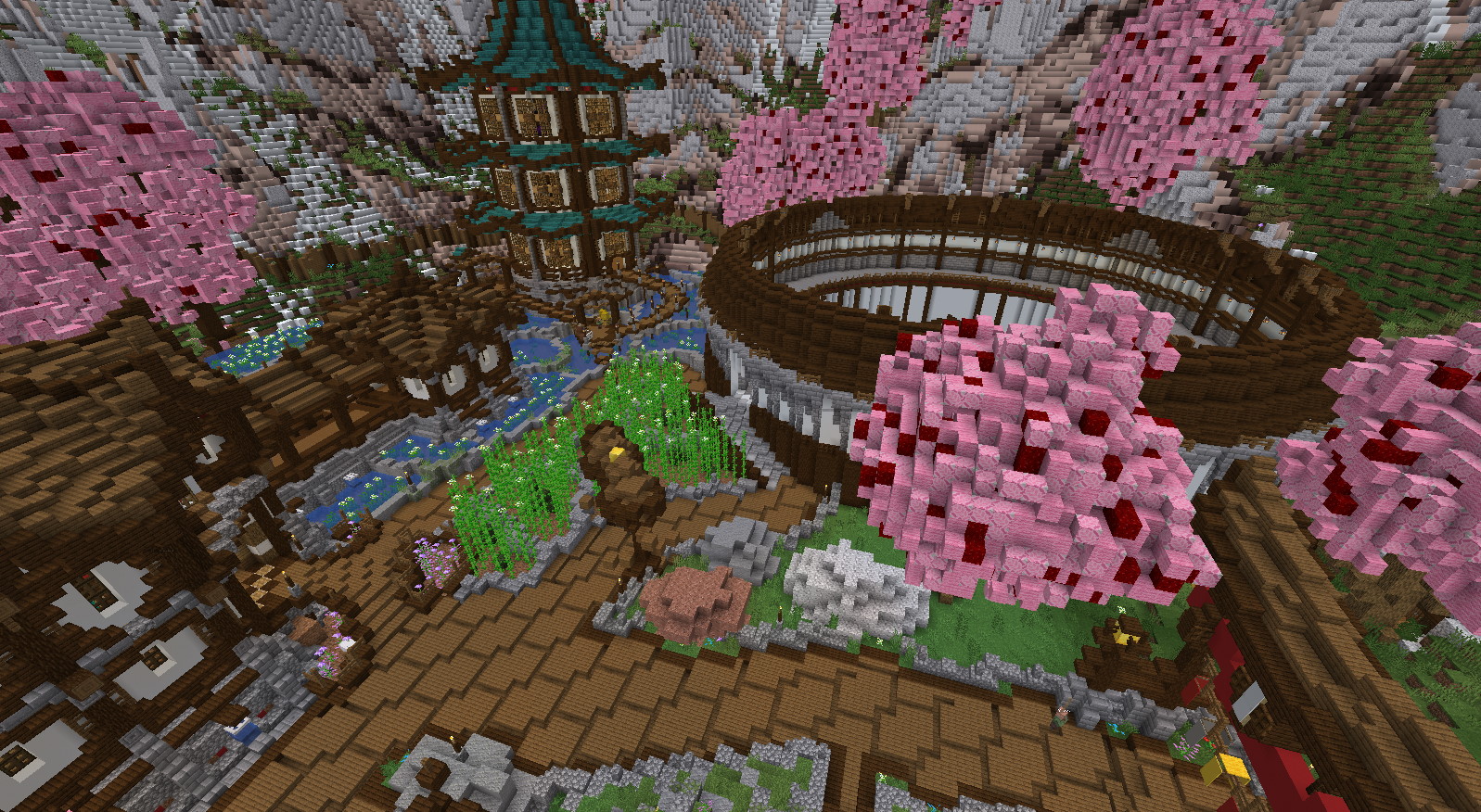
The Adventurer's Guild World is the name of a premade world made for EliteMobs by Realm of Lotheridon.
What is the Adventurer's Guild World for?
The Adventurer's Guild World acts as a hub for EliteMobs. By hosting the hub, players no longer have to memorize any commands (other than /em) in order to interact with EliteMobs features.
In the world, the following NPCs are placed ahead of time:
- Transporter (for going back to your previous location)
- Guide (Casus offers a welcome tour of the hub's NPCs, then Adventurer class training with Rowan, then a choice of introductions to the Story Mode dungeons or the Primis adventure)
- Guild Attendant (opens the Skill Bonus selection menu, gated behind
elitemobs.skill.npc) - Class Instructors (Rowan teaches Adventurer; the five main class instructors handle their own branches and trials. See [Alpha] Advanced Combat System. These NPCs require
elitemobs.command.) - Dungeon Teleporters (special NPCs that open browser menus showing all installed dungeons and teleport players to selected locations. Note that some dungeons have boss lockout timers to prevent farming)
- Binder of Worlds (a
COMMAND-type NPC used to reach installed content) - Barkeep (still unimplemented -- interacting only prints the "feature coming soon" message)
- Quest Giver (for browsing and accepting randomly generated quests)
- Blacksmith (for buying procedurally generated items and selling drops from elite mobs)
- Special Blacksmith (for buying custom items and selling drops from elite mobs)
- Travelling Merchant (a
SELL-type NPC that opens the sell menu) - Fletcher (the Arrow Shop)
- Combat Instructor (Charles gives tips about EliteMobs combat mechanics. He walks a loop through the Guild, rests at his chair for 60 seconds between laps, and stops to face players within 3 blocks. See patrols)
- Wormholes (portals that will teleport players to Dungeons and any other installed content)
- Arena Master (this NPC will let players participate in the Wood League Arena)
- Story Mode Quests (lets players take quests for the Story Mode Dungeons)
- Unbinder (allows players to Unbind their EliteMobs loot for a price)
- Scrapper (allows players to convert unwanted loot to scrap materials with a chance-based system - not all scrapping attempts will succeed, and you'll receive a summary of successful and failed attempts)
- Repairman (players can interact with this NPC to Repair their items using scrap)
- Enchanter (allows enchanting items using enchanted books with four possible outcomes: Success, Challenge (dungeon trial), Failure, or Critical Failure. Lucky tickets can increase success chances, but costs increase with each enchantment level)
- Scroll Applier (applies Elite Item Scrolls to vanilla items when that feature is enabled)
- Casino staff (Blackjack Dealer, Coin Flipper, Slot Machine Operator, Card Shark and the Gambling Den Owner -- see Gambling System)
- Seasonal NPCs such as Santa, shipped with the seasonal content packages
Additionally, features an adventurer's guild building for the NPCs, as well as functional EliteMobs Arenas including the Wood League Arena, which offers combat challenges with player and spectator modes.
The welcome quest no longer requires visiting Scotty, the Scroll Applier, because he is unavailable when item scrolls are disabled. Updates preserve the matching old bundled quest in the configuration archive and regenerate its current default.
How to set up the Adventurer's Guild World
To install the Adventurer's Guild World do the following:
-
Download the files. You can click on the red glass in
/em setupto get links to the downloads. -
Upload / move the files to your server's
/plugins/EliteMobs/importsfolder. Make sure you put the ZIPPED files inside theimportsfolder without modifying them in any way, EliteMobs will automatically extract the files and move them to the correct locations. -
Restart or do
/em reload. After a few seconds, when you do/em setupthe indicators for the features you downloaded should be yellow. -
Click on the yellow glass in the
/em setupmenu to install the imported features. If everything installed properly you should be in the Adventurer's Guild hub world. You can access the Adventurer's Guild at any time by using/ag, which will either teleport you to the hub world (if enabled) or open the guild menu interface, depending on server configuration.
Configuring The Wormhole
After installing the Adventurer's Guild hub world you will notice that there is a wormhole located where the players teleport in. This wormhole is supposed to be configured by you, to lead back to your regular world spawn or any other central location of your server.
To configure the wormhole, navigate to the directory ~plugins\EliteMobs\wormholes and open adventurers_guild_wormhole.yml. Locate the location2 value and replace your_world_here with the name of your world, followed by the correct coordinates where players should be teleported to.
Wormholes support several visual styles (CRYSTAL, ICOSAHEDRON, CUBE, or NONE) and can have customized particle colors. See the wormhole configuration file for RGB color settings.
NPC Permissions
Each NPC interaction may require specific permissions. Server administrators can control access to different NPCs using these permissions:
- elitemobs.shop.custom.npc (Special Blacksmith)
- elitemobs.shop.dynamic.npc (Blacksmith)
- elitemobs.shop.sell.npc (Selling items)
- elitemobs.scrap.npc (Scrapper)
- elitemobs.repair.npc (Repairman)
- elitemobs.unbind.npc (Unbinder)
- elitemobs.enchant.npc (Enchanter)
- elitemobs.scroll.npc (Scroll Applier)
- elitemobs.skill.npc (Guild Attendant — opens the skill bonus menu)
- elitemobs.quest.npc (Quest Giver)
- elitemobs.back.npc (Transporter)
- elitemobs.shop.arrow.npc (Fletcher / arrow shop)
- elitemobs.gambling.npc (all four gambling NPCs)
- elitemobs.rank.npc (legacy guild rank NPC node, still declared in
plugin.yml)
All of the nodes above default to true and are granted to players through the elitemobs.user permission bundle.
Players without the required permission will be unable to access that NPC's services.