EliteMobs
License
The EliteMobs source code is covered under the GPLV3 license, and this wiki is provided with the CC0 license.
Feel free to redistribute and modify the information in this wiki.
Versions
These docs target the current EliteMobs 10.9.8 source.
The current source tree is built against the Spigot 26.3-R0.1-SNAPSHOT API and Java 21.
EliteMobs 10 includes the current weapon-skills progression system, Nightbreak-aware content management, and the newer setup flow built around /em initialize and /em setup. Bedrock players (via Geyser) can see custom-modeled bosses and NPCs, and EliteMobs exposes a cross-plugin LocationOwnership API so other plugins shading MagmaCore can ask whether a location is owned/protected by EliteMobs and which content kind it belongs to.
If you are intentionally running an older EliteMobs major version, treat this wiki section as current-line documentation and verify older behavior against that older branch instead.
What is EliteMobs for?
EliteMobs aims to extend the end-game of Minecraft by implementing various boss-related content.
This means:
- Dynamic Bosses (Leveled Mobs)
- Custom Bosses
- Events
- Arenas
- World Based Dungeons
- Instanced Dungeons
- Dynamic Dungeons
- Open-World Random Dungeons (with BetterStructures integration)
- Custom Items (Elite Items/Loot)
- Weapon Skills and Skill Bonuses
- Session Parties, Dungeon Ready Checks and Group Loot
- ... and more!
The plugin does not aim to replace vanilla Minecraft content but rather complement it, allowing players to opt-out of EliteMobs content if desired. EliteMobs items typically do not affect PvP or vanilla Minecraft combat, as their damage and defense bonuses only apply during combat with EliteMobs.
Getting Started
The current documentation includes the [Alpha] Advanced Combat System, its class reference, authored class loot, and transport routes. When upgrading older content, review namespaced custom enchantments and custom-item formats.
New to EliteMobs? There are two separate starting points:
- server owners should complete the setup flow with
/em initialize, link a Nightbreak token with/nightbreaklogin <token>, and then manage content with/em setup - players use
/emand/agafter the server owner has finished setup
Your Combat Level is the average of your top 2 weapon skills and your armor skill. This determines the difficulty of elites that spawn around you, so your power grows naturally as you play. Gear drops from elite mobs and scales with your level — items at level 20 and below have no skill restrictions, so new players can freely equip anything they find early on.
Use /em to open the main player menu. In the current code line it opens the status/menu flow for players, and it is still the main access point for shops, quests, skills, teleports, and more.
As you level up, you will unlock Skill Bonuses — special combat abilities tied to each weapon type. These unlock at skill levels 10, 25, 50, and 75, and you can select up to 3 active bonuses per weapon. Check out the Skill System page for full details on how skills and leveling work, and the Skill Bonuses page for the complete list of abilities.
EliteMobs Feature Overview
In this section we will take a look at the some of the major features EliteMobs has to offer, what they are and how you can disable them. For a full feature list see this page.
You can also check out this page to find the intended way the players are supposed to interact with EliteMobs.
Dynamic Bosses
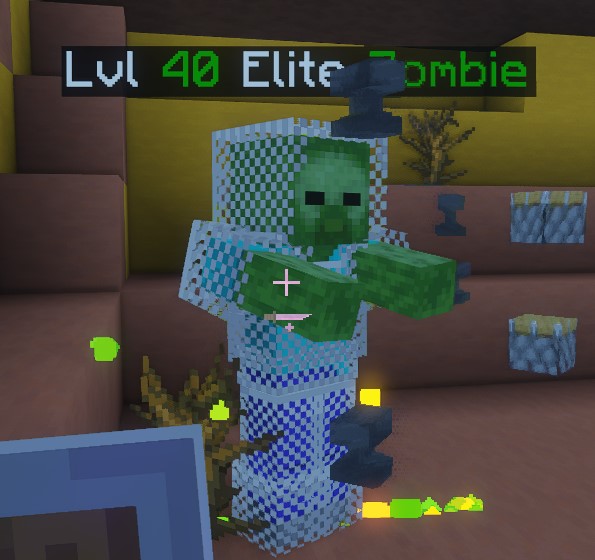
Dynamic Bosses is one of the main features of EliteMobs. It replaces a percentage of vanilla Minecraft spawns with Elite Mob spawns.
Elites are tougher mobs designed to challenge players and reward them with possible loot drops upon defeat. The level of Elites is determined by the player's Combat Level, which in EliteMobs 10 is calculated purely from weapon and armor skill levels (the average of your two highest weapon skills and your armor skill). The better your loot, the more useful it is in combat, but the gear you wear no longer sets the level of the elites that spawn around you.
Elite levels follow the player's combat level. Boss base health doubles every five levels before health limits; player skill adjustments and equipment use separate formulas. See the damage system.
For natural elites using the default scaled combat mode, adjust scaledDamageToEliteMultiplier and scaledDamageToPlayerMultiplier in MobCombatSettings.yml. Standard combat instead uses damageToEliteMobMultiplierV2 and damageToPlayerMultiplierV2. Choose the settings for the active combat mode.
If you wish to disable this feature entirely, you can do so by setting the doNaturalEliteMobSpawning value to false.
Visual Example
Elite Items/Loot
EliteMobs features randomly generated items that can be found in shops or be dropped by Elites. There also custom items that are usually found in dungeons and other Elite content.
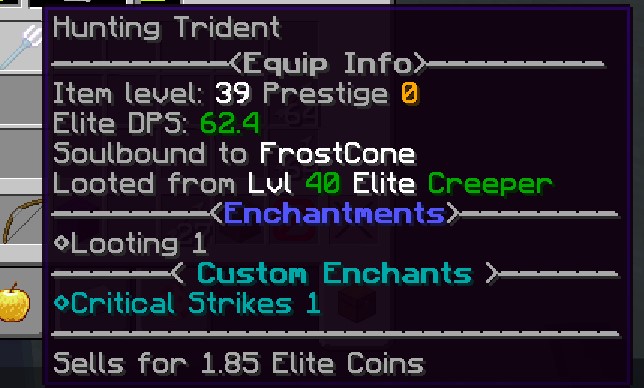
Elite items are just like vanilla items except they are usually equipped with extra goodies and are more powerful than anything you can find in vanilla MineCraft. Some Elite items will have stats on them that are called Elite Sharpness and Elite Defense, these stats will only apply when players are fighting Elites and do not affect vanilla mobs.
Elite items can also have enchantments, Custom Enchantments and potion effects.
Set doEliteMobsLoot: false in ItemSettings.yml to disable the normal mob-death loot listener. This does not disable every reward source: authored quest, chest, and arena rewards have separate paths. Skills still gain experience, but removing combat loot changes gear progression.
Visual Example
Events
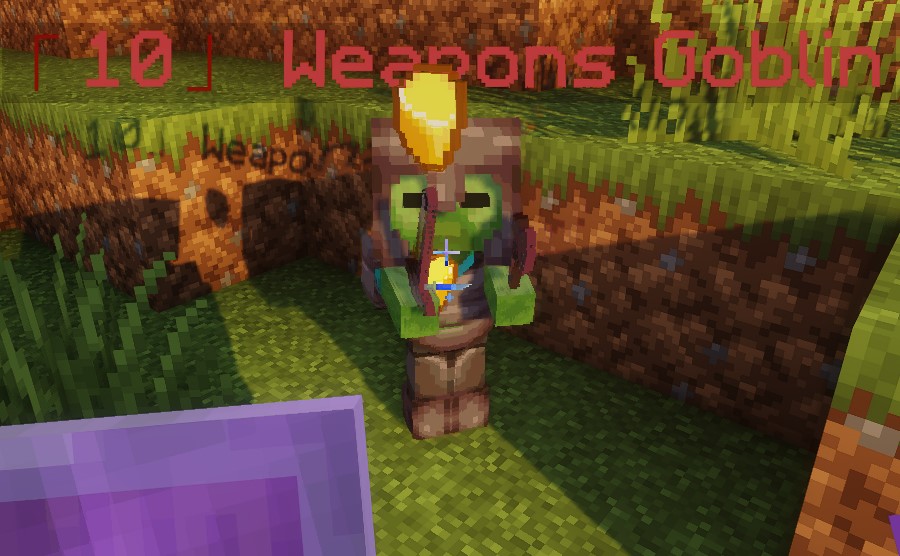
Events are unique encounters in EliteMobs that can trigger randomly based on a timer or by specific player actions, such as mining a block or chopping a tree.
These encounters feature custom, unique Elites that pose a greater challenge and offer valuable loot upon defeat.
Players receive notifications in the chat when an event occurs, with the option to track the Elite's health and location via a clickable link. If the Elite is not defeated within a certain time frame, the event ends and the Elite despawns.
You can disable all events by opening events.yml and setting the values actionEventsEnabled and timedEventsEnabled to false.
If you would like to disable individual events you can go to ~plugins\EliteMobs\customevents. there you will find configs for each event and you can disable any event by opening its config and setting the value isEnabled to false.
Visual Example
Adventurer's Guild
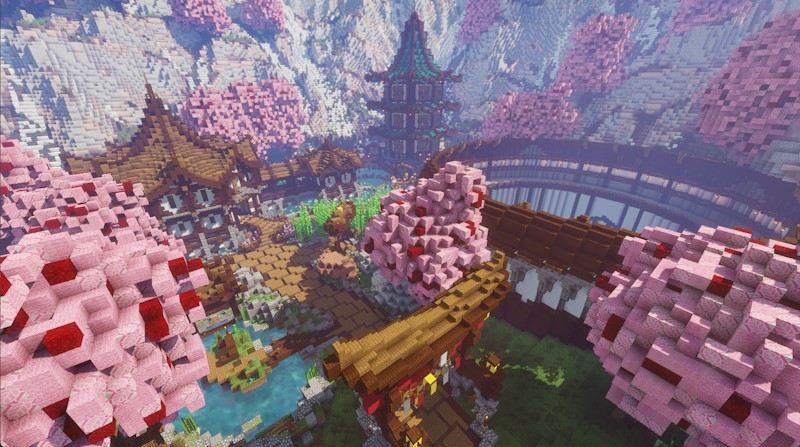
The Adventurer's Guild is an additional hub world that you can install and it is also a set of commands that the players can use.
If the hub world is not installed then the players will have to use commands, otherwise running commands with the hub world installed will teleport players to the hub world and there they can interact with NPCs instead of having to type in commands.
What commands? EliteMobs has several commands that players can use to sell and buy items, repair items, enchant items and more. Learn more about the current command surface here.
The Adventurer's Guild also includes specialty NPCs such as gambling NPCs (Blackjack, Coin Flip, Slots, Higher/Lower) and an Arrow Shop NPC for purchasing special arrows.
For more information on the Adventurer's Guild and how to install the hub world check out this page.
Visual Example
Weapon Skills and Gear Progression
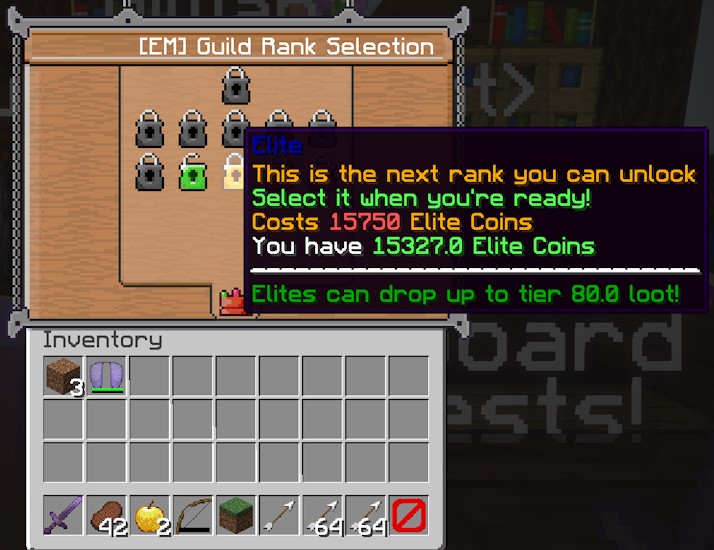
Starting with EliteMobs 10, weapon skills replace guild ranks and prestige. Eleven skills level through combat: Swords, Axes, Bows, Crossbows, Tridents, Hoes, Maces, Spears, Staves, Wands, and Armor. Every skill has selectable bonuses at levels 10, 25, 50, and 75; players can select up to three bonuses per skill. Staves and Wands have ten bonuses each and need FreeMinecraftModels for their magic weapons.
When gear restrictions are enabled, elite gear above level 20 requires the corresponding skill level rather than a guild rank. Items at level 20 or below are exempt.
Skill restrictions control which gear players can use. Soulbind separately controls ownership and trading.
Visual Example
Arenas
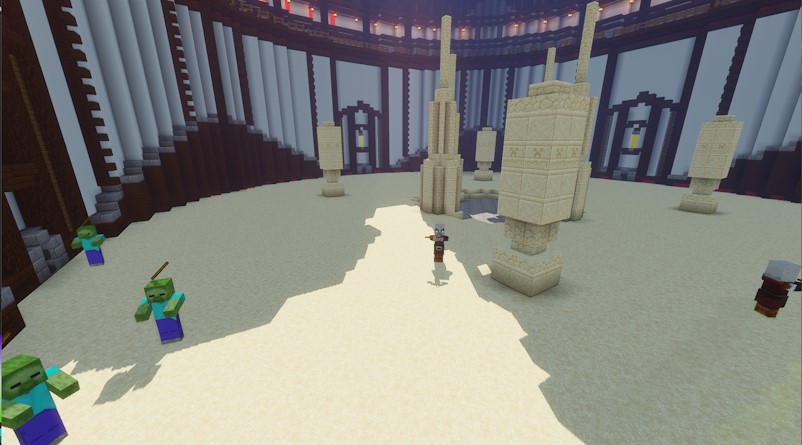
Arenas are wave-based challenges where players can engage in combat. One or multiple players can join an arena and face increasingly difficult waves of enemies, with rewards improving as the challenge progresses.
Upon installing the Adventurer's Guild hub world, players gain access to the Wood League Arena, a free arena accessible via interaction with an NPC in the hub world or through the /em menu.
You can get additional arenas by going to: Itch.io or by subscribing on Patreon.
You can disable arenas by going to ~plugins\EliteMobs\customarenas
and then opening up the arena config, for example wood_league.yml and then finding the value isEnabled and setting it to false.
Visual Example
World Dungeons
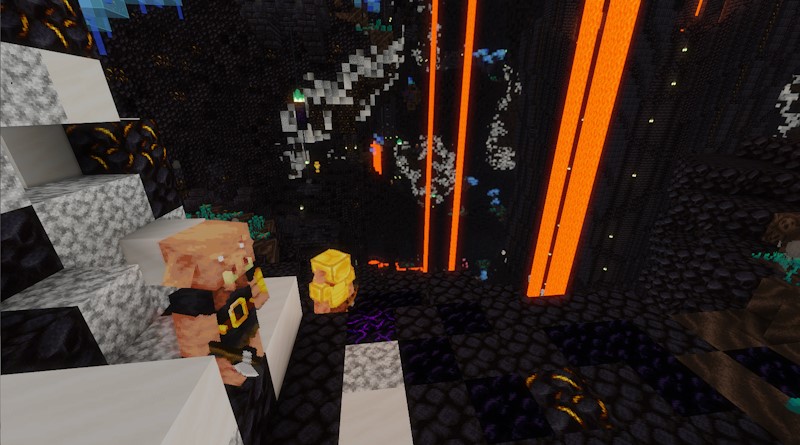
World Dungeons are additional custom content that you can download for EliteMobs. Dungeons usually have custom Elite bosses, custom worlds, custom loot and custom boss powers.
All world dungeons are dungeons that are located in their own world, meaning that when the players access them they are teleported to a world that has nothing in it but that dungeon.
There are several types of world dungeons, to learn more about types click here.
Fixed-level world dungeons have recommended level ranges. Dynamic dungeons also use worlds, but create private copies and scale content to the selected level.
You can get dungeons by going to: Itch.io or by subscribing on Patreon. There are several free dungeons that you can download from here.
You can disable individual dungeons by going to ~plugins\EliteMobs\content_packages and opening up the dungeon config for the dungeon you wish to disable and setting the isEnabled value to false.
Visual Example
Instanced Dungeons
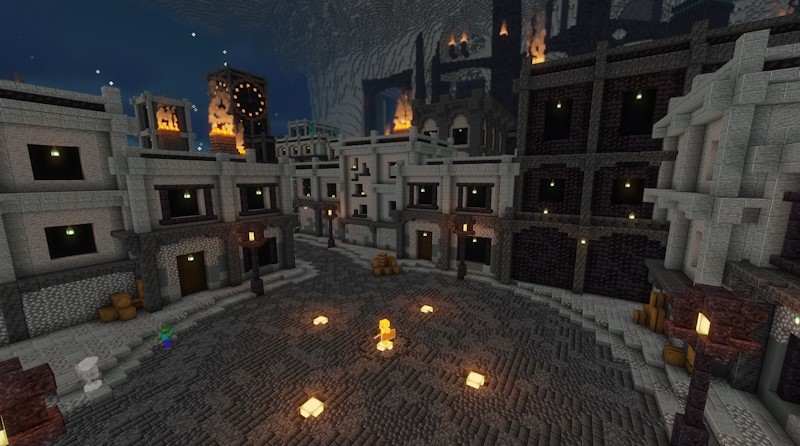
Instanced Dungeons differ from World Dungeons in several ways. They are instanced, meaning a new world is dynamically created from a blueprint, providing players and their friends with a private dungeon experience similar to those found in MMOs.
Instanced dungeons can define difficulty-specific health, powers, loot, and lives. Armor aggro enchantments support tank and damage roles; the optional advanced combat classes add their own abilities. The exact rewards and mechanics depend on the package. Read more about difficulty.
Additionally, players can resurrect each other within Instanced Dungeons, enabling them to swiftly resume the battle if they act fast enough.
You can get instanced dungeons by going to: Itch.io or by subscribing on Patreon. There are free instanced dungeons that you can download from here.
You can disable individual dungeons by going to ~plugins\EliteMobs\content_packages and opening up the dungeon config for the dungeon you wish to disable and setting the isEnabled value to false.
Visual Example
Dynamic Dungeons
Dynamic Dungeons are a new dungeon type introduced in EliteMobs 9.6.0. Unlike World Dungeons or Instanced Dungeons with fixed difficulty levels, Dynamic Dungeons allow players to select their own difficulty level before entering.
Players first select a content level, then a difficulty. The level menu uses current combat skill level, offering five-level increments around it within the 5–200 bounds. Gear and Guild rank do not determine those menu choices. Dungeon mobs scale to the chosen content level; the difficulty separately controls level sync and authored power/loot filters.
This system provides flexibility for players at different progression stages to experience the same content at an appropriate challenge level. Whether you're looking for a casual run or a hardcore challenge, Dynamic Dungeons adapt to your preferences.
You can get dynamic dungeons by going to: Itch.io or by subscribing on Patreon.
You can disable individual dungeons by going to ~plugins\EliteMobs\content_packages and opening up the dungeon config for the dungeon you wish to disable and setting the isEnabled value to false.
Visual Example
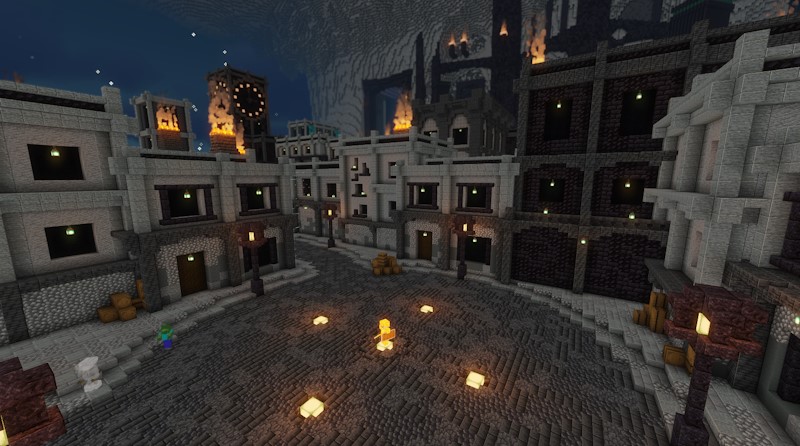
Adventures
Adventures represent the most expansive additional content available for EliteMobs, boasting a vast world complete with a captivating storyline and a multitude of quests for players to embark on.
Featuring hundreds of custom bosses, powers, and items, Adventures offer an immersive gaming experience. Quests within Adventures function similarly to those in traditional MMOs, tasking players with objectives such as defeating mobs, locating items, interacting with NPCs, or any combination thereof.
Adventures are so big that they even have other sub-dungeons or sub-arenas located within.
While Adventures typically recommend a set level range for players, it's advised for players to begin their adventure at the lower end of the level scale for optimal enjoyment.
You can get adventures by going to: Itch.io or by subscribing on Patreon.
You can disable individual adventures by going to ~plugins\EliteMobs\content_packages and opening up the config for the adventure you wish to disable and setting the isEnabled value to false. Adventures can have additional sub-dungeons and sub-arenas that come with adventures so make sure you disable those as well if you are disabling an adventure.
Visual Example
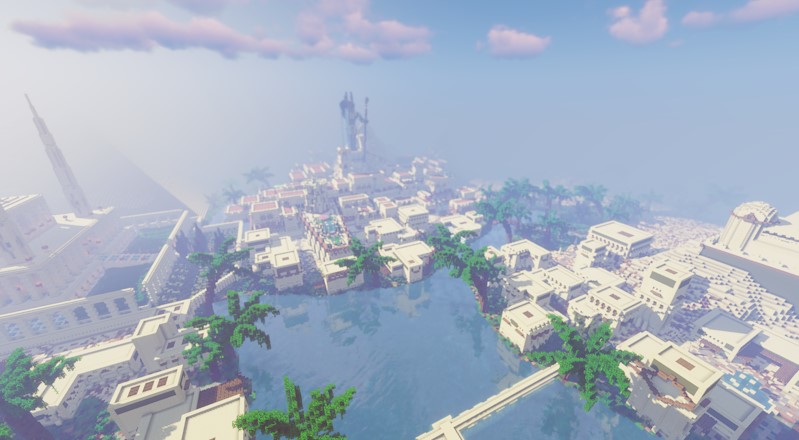
Wormhole Teleports
EliteMobs also features simple from A to B teleporters called wormholes. You will see these mostly used in the Adventurer's Guild hub world as a way to teleport players from there to a dungeon or back to server spawn.
Their built-in styles are a cube, crystal, or icosahedron drawn with block displays and particles. Set noParticlesMode: true in Wormholes.yml to disable those shapes and particles. Wormholes can also use decorative FreeMinecraftModels models.
You can make your own wormholes and use them however you wish. Click here to find out how.
Visual Example
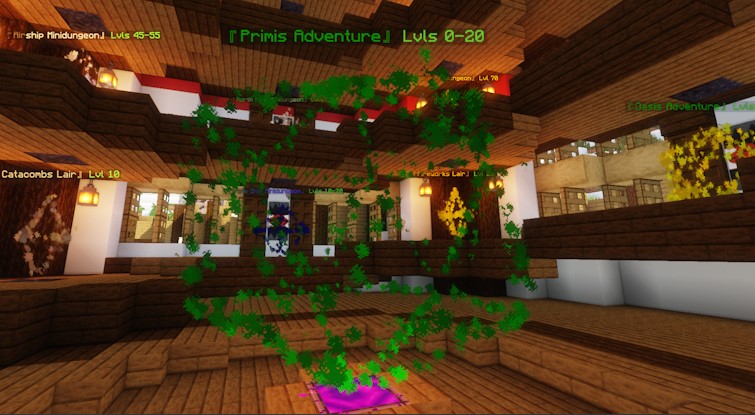
Custom Content
EliteMobs also offers you the opportunity to create your own content, including bosses, dungeons, powers, NPCs, quests, arenas, and much more! You can find guides for creating other types of content than the ones listed above in the wiki's sidebar menu.
For the easiest and most efficient content creation experience, we recommend using the WebApp. This tool enables you to generate ready-to-use configuration files without the need to extensively browse through the wiki to ensure correctness, particularly if you're considering creating EliteScript boss powers. Access the WebApp here.
EliteMobs integrates with FreeMinecraftModels for custom 3D boss models. The current source builds against FreeMinecraftModels 2.12.2; this is a build dependency, not proof of compatibility with every server or later plugin version.
For Admins & Server Owners
This plugin is designed for survival and survival-like servers (such as Skyblock, Skywars, and heavily modded survival variants).
The plugin is intended to be easily usable by simply dragging and dropping the plugin jar into the server. The default settings are the ones I use on my own servers and are subject to change over time.
However! Customizability has been a top priority throughout the development process of EliteMobs. Almost every aspect of the plugin can be translated, customized, disabled, or modified.
For other developers
Despite the GPLV3 and open-source nature of this project, I am neither looking for nor will I accept any code additions or changes at this time. I welcome forks of the plugin, and would take immense pleasure to see what you might do with them; however, this is my first massive programming project and as such is also a learning experience.
However! Do not take this as me claiming I am beyond any criticism or that I won't listen to feedback - quite the opposite, I love it when people point out better ways of accomplishing things I've done in the plugin. I wish for this project to be something that I wrote end to end, with no code snippets that I am not aware of or that I don't understand.