Creating Arenas

Creating arenas
Create a uniquely named .yml file in plugins/EliteMobs/customarenas, then run /em reload after its worlds and referenced content are loaded. Arena references use the complete filename, including .yml. Define every wave from 1 through a positive waveCount, and reference only spawn points the file defines. EliteMobs checks this when the arena loads: a missing wave, a wave above waveCount, an unknown spawn point or a malformed spawnPoints or bossList entry logs a warning and the arena does not load. During a run, if any mob of a wave fails to spawn, the run ends in defeat.
Joining and running an arena
An arena uses an existing physical region; it does not clone a world for each group. Interacting with its NPC opens a menu. Selecting the player button admits the player only while the match is waiting, space remains, the player has the configured permission, and they are not already in another match. Once the countdown starts, new players cannot join.
After admission, players enter teleportLocation, or startLocation if no lobby is configured. A participant with elitemobs.instance.start can use /em start once minimumPlayerCount is reached. The countdown checks that minimum again, then teleports participants to startLocation and prepares wave 1. Use /em quit to leave as a player or spectator.
Keep the start, lobby and boss spawn points inside the arena region, with safe ground. The boundary watchdog also runs while players wait: it brings players and spectators back when they leave the region. During combat it ejects outsiders unless they have elitemobs.*. Ordinary teleports are restricted while registered in the match; use the supported leave command.
allowSpectatorsInInstancedContent in dungeons.yml controls the spectator button and downed-player revives. When enabled, a downed player can wait in spectator mode for a teammate to hit their banner; the counter allows three revives. If no active players remain, the run ends in defeat. With the setting disabled, a downed player leaves the run immediately. Spectators receive no wave rewards, and leaving spectator mode sets the player to Survival.
The next wave begins when all tracked wave entities have died or become invalid; this does not require every disappearance to be a player kill. Completing the final wave pays its rewards and ends the run. Reset removes remaining arena mobs, clears death banners, returns participants and frees the arena for another run. The configured preparation delay uses seconds, but the current post-match reset uses the same numeric value in ticks.
arenaContainer
Use arenaContainer: another_arena.yml when multiple run definitions should share one physical arena. The referenced, enabled arena supplies both corners, start/exit/lobby locations, spawn points, and the cylindrical shape. The current file still supplies its waves, rewards, messages, permission, and player limits. Only one run can occupy the shared arena at a time, including player or spectator admission before combat; it is released when that run is reset or its empty admission is cancelled. References can be chained, but missing references and cycles are rejected. Omit this key for an arena with its own geometry.
isEnabled
Sets if the arena is enabled.
| Key | Values | Default |
|---|---|---|
isEnabled | Boolean | true |
Example
isEnabled: true
arenaName
Sets the name of the arena.
| Key | Values | Default |
|---|---|---|
arenaName | String | none — set it |
Always set arenaName explicitly. Omitting it leaves the arena without a display name.
Example
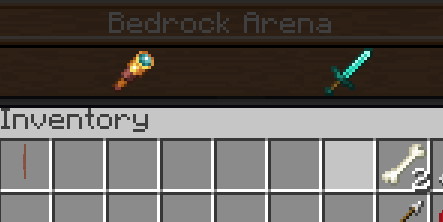
arenaName: Bedrock Arena
corner1
Sets the first corner of the arena.
| Key | Values | Default |
|---|---|---|
corner1 | Location | none |
Example
corner1: my_arena_world,10,50,-10,0,0
The location format is: world_name,x,y,z,yaw,pitch where world_name is the world name, x/y/z are coordinates, yaw is horizontal rotation (0-360), and pitch is vertical rotation (-90 to 90). The short form world_name,x,y,z is also accepted and defaults both yaw and pitch to 0.
Arenas waiting for a world are retried when the world named by corner1 loads. If a separate exit world loads later, its load event does not retry the arena; run /em reload after all referenced worlds are loaded.
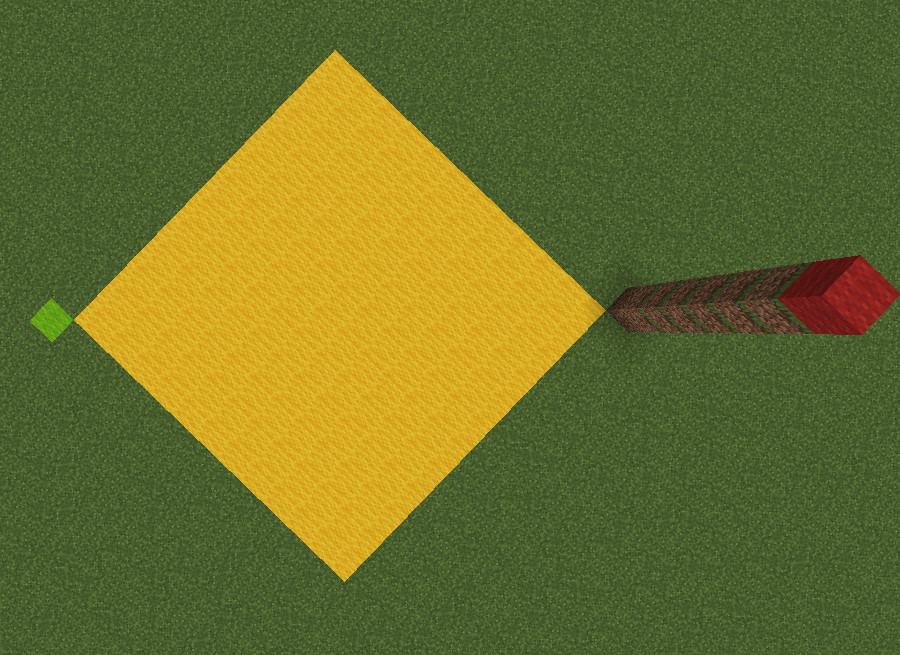
In this image corner1 is represented by green wool and corner2 is represented by red wool. This configuration designates the area between them as the arena, represented by yellow wool.
corner2
Sets the opposite corner of the arena. Include its full vertical extent as well as X/Z: two corners at the same Y produce a zero-height region. Both corners and startLocation must use the same world.
| Key | Values | Default |
|---|---|---|
corner2 | Location | none |
Example
corner2: my_arena_world,-10,80,10,0,0
In this image corner1 is represented by green wool and corner2 is represented by red wool. This configuration designates the area between them as the arena, represented by yellow wool.
startLocation
Sets where participants begin combat and where spectators enter. Without teleportLocation, players also wait here before starting. Place it on safe ground inside the region.
| Key | Values | Default |
|---|---|---|
startLocation | Location | none |
Example
startLocation: my_arena_world,1,50,1,0,0
exitLocation
Sets the destination used by normal exits, cleanup and intruder ejection. Keep it outside the arena. A player eliminated by lethal damage can instead return to their saved pre-entry location.
| Key | Values | Default |
|---|---|---|
exitLocation | Location | none |
Example
exitLocation: my_world,1,50,1,0,0
waveCount
Sets the number of waves. Use a positive integer and provide at least one boss entry for every wave from 1 through this number; otherwise the arena does not load.
| Key | Values | Default |
|---|---|---|
waveCount | Integer | 0 |
Example
waveCount: 10
delayBetweenWaves
Sets the preparation delay in seconds before each wave, including wave 1. Use a nonnegative integer.
| Key | Values | Default |
|---|---|---|
delayBetweenWaves | Integer | 0 |
Example
delayBetweenWaves: 5
rawIntermissionWaves
Doubles the preparation delay before each listed wave begins. The delay is delayBetweenWaves * 2 for those waves.
Useful if you want to give players a short breather between specific waves.
| Key | Values | Default |
|---|---|---|
rawIntermissionWaves | Integer List | none |
Example
rawIntermissionWaves:
- '5'
- '10'
- '15'
spawnPoints
Sets named spawn locations for arena bosses. Every point needs a name and a valid location in the same world as startLocation, or the arena does not load. Point names are matched exactly by bossList; reuse of a name replaces its earlier location.
| Key | Values | Default |
|---|---|---|
spawnPoints | String List [1] | none |
Example
spawnPoints:
- name=north:location=my_arena_world,219.5,71,273.5
- name=south:location=my_arena_world,219.5,71,316.5
- name=west:location=my_arena_world,197.5,71,295.5
- name=east:location=my_arena_world,240.5,71,295.5
- name=center:location=my_arena_world,219.5,71,295.5
bossList
Sets the bosses for each wave. Each list entry spawns one entity; repeat entries to spawn several. EliteMobs entries reference custom boss filenames, including .yml. MythicMobs entries use the mob's internal name and require that plugin and mob to be loaded.
| Key | Values | Default |
|---|---|---|
bossList | String List [2] | none |
Example
bossList:
- wave=1:spawnPoint=north:boss=my_boss_wave_1.yml
- wave=1:spawnPoint=south:boss=my_boss_wave_1.yml
- wave=2:spawnPoint=center:boss=my_mythicmobs_boss:mythicmob=true:level=10
In this example, wave 1 will spawn one boss at the north spawn point and one boss at the south spawn point. Then, on wave 2, a mythic boss will spawn, at level 10, in the center point.
The valid parameters are wave, spawnPoint, boss, mythicmob and level.
level is only passed on to MythicMobs entries. EliteMobs bosses ignore it - set their level in their own configuration file instead.
rawArenaReward
Sets wave rewards. Each entry rolls independently for each active player when its numbered wave ends, before the next preparation delay, including after the final wave. Spectators and players who left are excluded. When that wave contains an EliteMobs boss with a positive level, a player is excluded if the absolute difference between their skill-based Combat Level and the strongest such boss exceeds lootLevelDifferenceLockout in ItemSettings.yml. MythicMobs levels do not supply that comparison. There is no minimum damage contribution requirement.
Use the string format shown below: wave selects the completed wave and itemlevel supplies the requested item level, defaulting to 1. The item's own fixed or limited scaling rules still apply. Rewards use direct delivery: items enter the inventory, with overflow dropped nearby, and currency credits the player's balance. The loot table's chance, amount and permission checks still apply; dungeon difficultyID filters do not restrict an ordinary arena. Arena-spawned EliteMobs bosses use normalized combat unless their file explicitly sets scaledCombat: true; their normal elite, random and vanilla loot are disabled.
| Key | Values | Default |
|---|---|---|
rawArenaReward | Universal EliteMobs loot table | none |
Example
rawArenaReward:
- filename=enchanted_book_damage_all.yml:wave=5:chance=0.25
- filename=elite_scrap_tiny.yml:wave=1:chance=0.5:amount=5
- currencyAmount=3:wave=3
- itemlevel=5:filename=summon_merchant_scroll.yml:wave=5
- filename=magmaguys_toothpick.yml:itemlevel=10:wave=10:chance=0.95
minimumPlayerCount
Sets the minimum amount of players an arena must have before starting.
| Key | Values | Default |
|---|---|---|
minimumPlayerCount | Integer | 1 |
Example
minimumPlayerCount: 1
maximumPlayerCount
Sets the maximum amount of players an arena can have. Players trying to join a full arena are told the arena is full and are not let in.
Set this explicitly. The default is 0, and any value below 1 is treated as 1, so an arena without this key admits a single player. A minimumPlayerCount above this value is lowered to match it.
| Key | Values | Default |
|---|---|---|
maximumPlayerCount | Integer | 0 |
Example
maximumPlayerCount: 100
arenaMessages
Sets messages sent to players and spectators when the numbered wave enters preparation, before its delay. A later entry for the same wave replaces the earlier message.
| Key | Values | Default |
|---|---|---|
arenaMessages | Special [3] | none |
Example
arenaMessages:
- 'wave=1:message=&a[Arena Announcer] &fTime for wave one!'
- 'wave=2:message=&a[Arena Announcer] &fWow, wave two already.'

cylindricalArena
Sets whether the arena uses a cylinder instead of a cuboid. The cylinder is centered between the corners in X/Z, starts at their lower Y, has their Y difference as its height, and uses half their X difference as its radius. The Z span does not determine the radius. Its outer circular boundary and upper Y are excluded; keep playable locations inside those limits. Cuboid bounds include both corners.
| Key | Values | Default |
|---|---|---|
cylindricalArena | Boolean | false |
Example
cylindricalArena: false
permission
Sets the permission required to join as a combat participant. Omit the field for an unrestricted arena. The spectator button currently does not check this permission, so it is not a spectator access restriction.
| Key | Values | Default |
|---|---|---|
permission | String | none |
Example
permission: mypermission.arena
teleportLocation
Sets the optional waiting location used after successful player admission from the arena menu. Merely interacting with the NPC does not teleport the player. Keep the lobby inside the arena region; otherwise the boundary watchdog moves waiting players back. If omitted, players wait at startLocation. This does not let another group queue inside an occupied shared arena.
| Key | Values | Default |
|---|---|---|
teleportLocation | Location | none |
Example
teleportLocation: my_arena_world,10,50,10,0,0
Special [1]
Spawn points: Uses the following format: name=pointName:location=world_name,x,y,z.
Special [2]
Boss list: Uses the following format: wave=X:spawnPoint=Y:boss=bossfilename.yml.
Two optional keys can be added to any entry:
| Key | Description | Values | Default |
|---|---|---|---|
level | Only overrides the level of a mythicmob=true entry. EliteMobs bosses use their own configuration. | Integer | -1 is passed to MythicMobs when omitted; set an explicit positive level |
mythicmob | Treats boss= as a MythicMobs mob name instead of an EliteMobs boss filename. Requires MythicMobs to be installed. | true / false | false |
Example: wave=3:spawnPoint=center:boss=my_mythic_boss:mythicmob=true:level=40
Entries are split on : and then on the first =. Keys are not case-sensitive. An unknown or repeated key, a key without a value, a missing wave, spawnPoint or boss, a wave below 1, a level below 1, or a mythicmob value other than true or false makes the arena fail to load with a warning. Spawn-point names and boss identifiers must match their references exactly.
Special [3]
Arena messages: Uses the following format: wave=X:message=your message here.
The message text can contain colons: it runs from message= to the end of the entry, or up to a following :wave= field. Only waves numbered 1 or higher are accepted. Quote the whole YAML entry when needed; quotes placed only after message= become part of the displayed text.
Arena Config Example
isEnabled: true
arenaName: Example Arena
corner1: my_arena_world,0,0,0,0,0
corner2: my_arena_world,50,50,50,0,0
startLocation: my_arena_world,25,0,25,0,0
exitLocation: my_minecraft_world,234,44,245,0,0
waveCount: 5
delayBetweenWaves: 5
spawnPoints:
  - name=north:location=my_arena_world,40.5,0,0
  - name=south:location=my_arena_world,10.5,0,0
  - name=west:location=my_arena_world,0,0,40.5
  - name=east:location=my_arena_world,0,0,10.5
  - name=center:location=my_arena_world,25.5,0,25.5
bossList:
  - wave=1:spawnPoint=north:boss=example_arena_wave_1_mob.yml
  - wave=1:spawnPoint=center:boss=example_arena_wave_1_mob.yml
  - wave=1:spawnPoint=south:boss=example_arena_wave_1_mob.yml
  - wave=2:spawnPoint=center:boss=example_arena_wave_2_mob.yml
  - wave=3:spawnPoint=east:boss=example_arena_wave_3_mob.yml
  - wave=3:spawnPoint=west:boss=example_arena_wave_3_mob.yml
  - wave=4:spawnPoint=center:boss=example_arena_wave_4_mob.yml
  - wave=4:spawnPoint=center:boss=example_arena_wave_4_mob.yml
  - wave=5:spawnPoint=center:boss=example_arena_wave_5_mob.yml
  - wave=5:spawnPoint=south:boss=example_arena_wave_5_mob.yml
  - wave=5:spawnPoint=west:boss=example_arena_wave_5_mob.yml
rawArenaReward:
  - currencyAmount=5:wave=1
  - currencyAmount=10:wave=2
  - currencyAmount=15:wave=3
  - currencyAmount=20:wave=4
  - currencyAmount=25:wave=5
  - filename=magmaguys_toothpick.yml:itemlevel=5:wave=5:chance=0.5
minimumPlayerCount: 1
maximumPlayerCount: 3
arenaMessages:
  - wave=1:message=&d[Arena NPC] &fWow! Wave 1!
  - wave=2:message=&d[Arena NPC] &fAmazing it is wave 2!
  - wave=3:message=&d[Arena NPC] &fWave 3 is now on!
  - wave=4:message=&d[Arena NPC] &fWave 4 already!
  - wave=5:message=&d[Arena NPC] &fWell it is all over after this one.
cylindricalArena: false
permission: arena.mypermission
Breakdown of the example
Let us go over this example from the top and explain what this arena configuration does.
First the arena is enabled with isEnabled, and we can see that it is called Example Arena using the arenaName setting. The name will be shown when you interact with the arena NPC (we talk about how to make an arena NPC further down) that will allow players to join the arena. corner1 and corner2 define the arena size. These corners should be at the opposite sides of each other in the area that you plan to use for the arena.
startLocation is where players begin combat. This example has no separate lobby, so they also wait there after joining. exitLocation is the normal exit in my_minecraft_world; lethal elimination can instead use the player's saved pre-entry location. Replace the example coordinates with safe locations in your own loaded worlds.
waveCount simply sets the amount of waves that the arena will last for. In this case that would be 5 waves. If they players manage to survive all 5 waves they have managed to survive the arena. delayBetweenWaves will set the amount of seconds before the next wave starts. In our example players would have 5 seconds to prepare before the next wave starts.
spawnPoints set the locations where we can have our mobs spawn. We can make as many as we want and name them as we want. In the example we have decided to make 5 spawn points and name them north, south, center, east and west.
bossList is where we define which boss should spawn at what wave and at which location. In the example wave 1 will have 3 bosses spawning from the spawn locations that we named north, center and south. All three are set to use the same boss file but we could have used different boss files for each one.
rawArenaReward gives eligible active players 5 elite coins after wave 1. Wave 5 gives 25 coins and an independent 50% chance at the authored level-5 MagmaGuy's Toothpick reward. The Combat Level lockout and loot-entry conditions described above still apply.
minimumPlayerCount sets the minimum required amount of players needed before the arena will start. In our example this setting is set to 1, so only one player is needed for the arena to starts. maximumPlayerCount sets the maximum amount of players that can participate in the arena. In our example this setting is set to 3, meaning that once 3 players have joined, any further player trying to join is turned away with the "arena is full" message.
arenaMessages lets you add some flavor text that will be displayed in the chat at the start of the defined waves. In our example we have decided to display a short message at the start of each wave. We have also decided to include the NPC name at the start of each message giving the illusion that the text is spoken dialogue by the announcer (arena master).
cylindricalArena this setting will let us toggle if the defined area that we have set with corner1 and corner2 should be a cylindrical shape instead of a cuboid one. In our example we have set this to false meaning that the example arena is a cuboid shape.
permission requires arena.mypermission for player admission. Starting also requires the command permission elitemobs.instance.start; spectator admission does not check the arena permission.
Creating the Arena NPC
Save a uniquely named NPC .yml file in plugins/EliteMobs/npcs/ with interactionType: ARENA_MASTER and arena: your_arena.yml. Reload after editing, then use /em place npc <npcfilename.yml> with elitemobs.place.npc to place it, or configure spawnLocations. The NPC reference covers placement, removal and additional features such as scripts, patrol, classRoot, and transportRoutes.
isEnabled
Sets if the NPC is enabled.
| Key | Values | Default |
|---|---|---|
isEnabled | Boolean | true |
Example
isEnabled: true
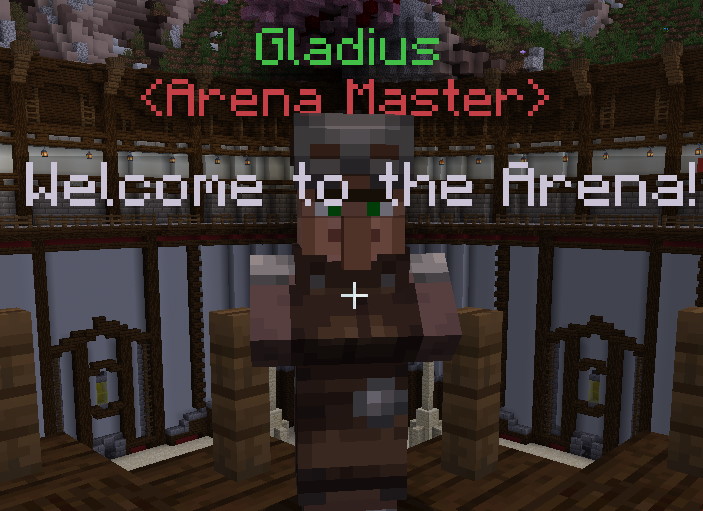
name
Sets the display name of the NPC.
| Key | Values | Default |
|---|---|---|
name | String | empty |
Example
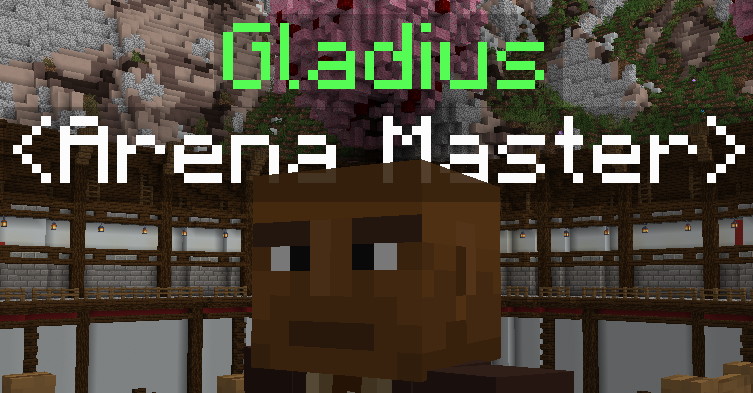
name: "&aGladius"
role
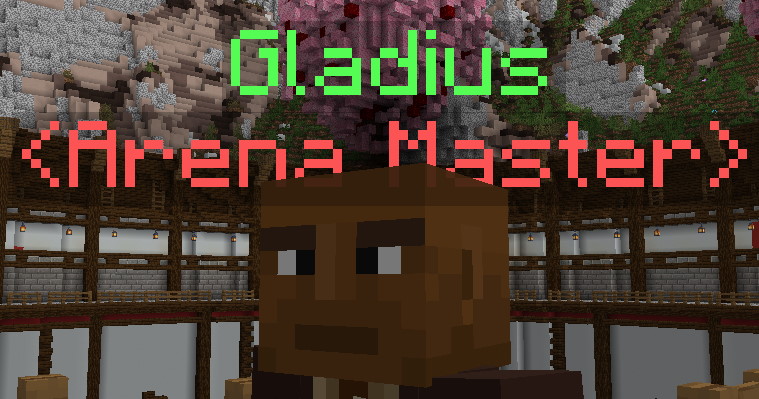
Sets role display under the NPC name.
| Key | Values | Default |
|---|---|---|
role | String | empty |
Example
role: "&c<Arena Master>"
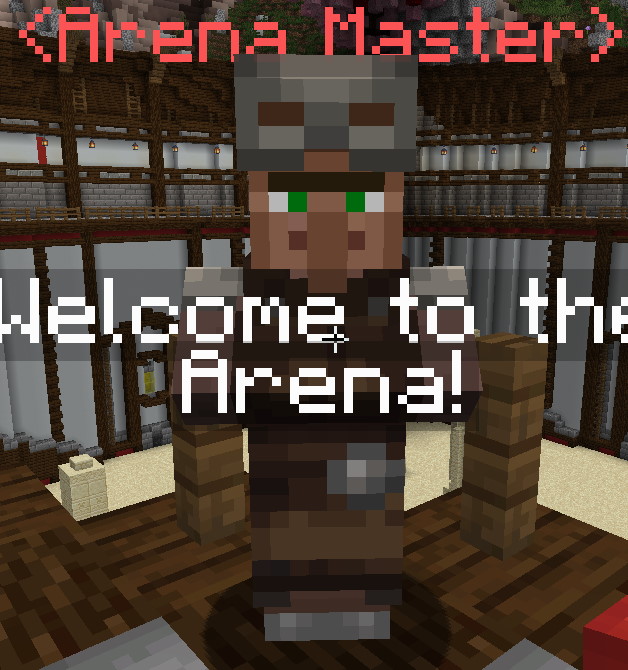
profession
Sets the MineCraft profession of the NPC.
| Key | Values | Default |
|---|---|---|
profession | Profession | NITWIT |
Example
profession: ARMORER
Will be overridden if a disguise is used.
spawnLocation
Legacy single placement, used only when spawnLocations is empty or absent. Prefer the list for new files, and remove this legacy key when migrating to avoid restoring the old placement if the list becomes empty.
| Key | Values | Default |
|---|---|---|
spawnLocation | Location | none |
Example
spawnLocation: my_world,1.5,50,1.5,-108,0
spawnLocations
Sets the NPC's saved placements. A nonempty list takes precedence over spawnLocation; it does not append to it. The referenced worlds must be loaded. Each location creates a separate NPC using this configuration.
| Key | Values | Default |
|---|---|---|
spawnLocations | String List | none |
Example
spawnLocations:
- my_world,1.5,50,1.5,-108,0
- my_world,100.5,50,50.5,0,0
greetings
Sets random greeting lines on detected entry into the activation radius. Proximity is checked every 100 ticks; brief visits can be missed. Speech uses a shared three-second cooldown per NPC, so another player's greeting can suppress yours.
| Key | Values | Default |
|---|---|---|
greetings | String List | none |
Example
greetings:
- Welcome to the Arena!
- The Arena welcomes you!
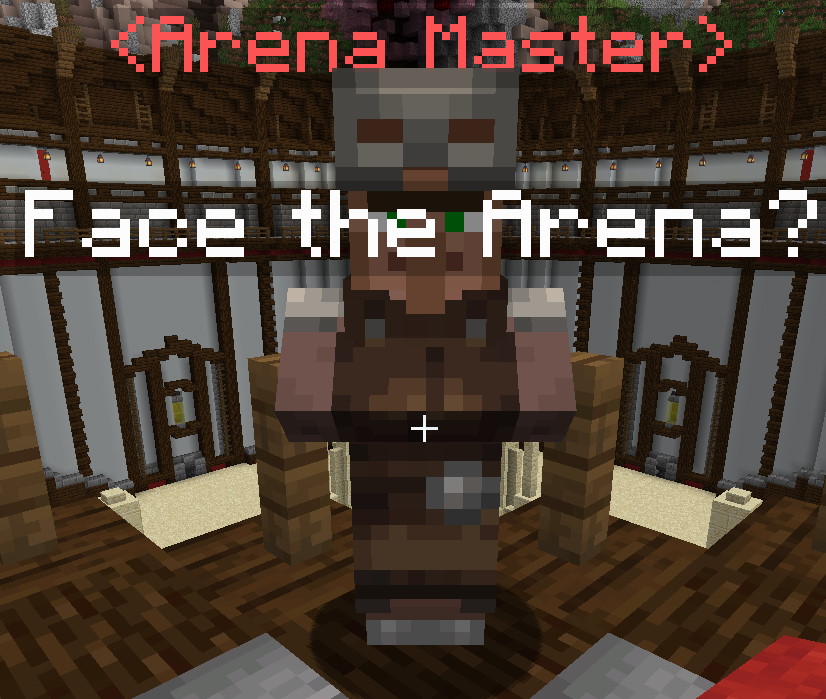
dialog
For ARENA_MASTER, sets random proximity dialogue on later checks while a player remains nearby. Clicking opens the arena menu. Only CHAT uses this list as its built-in click action.
| Key | Values | Default |
|---|---|---|
dialog | String List | none |
Example
dialog:
- Ready for a challenge?
- Face the Arena?
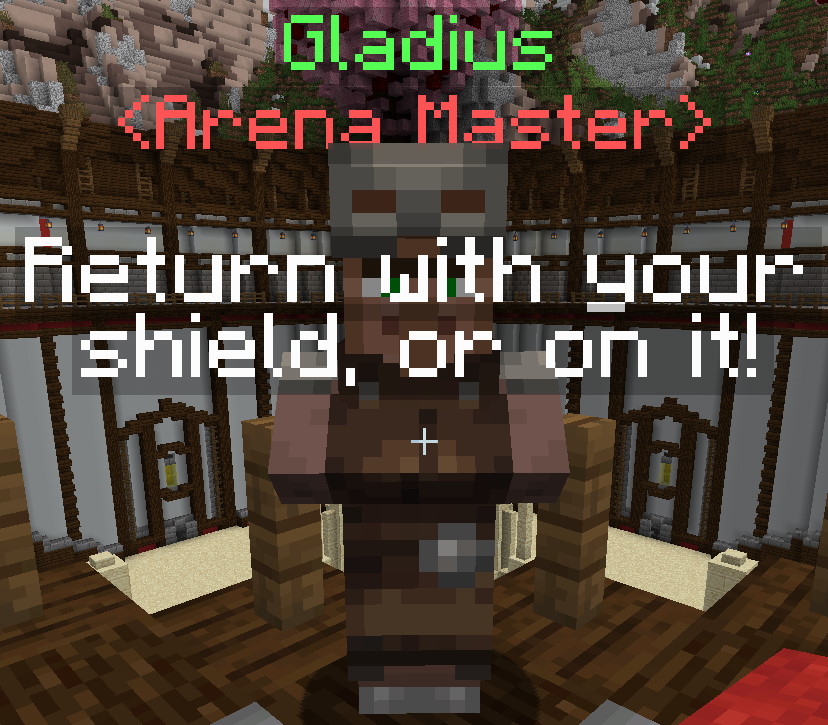
farewell
Sets the farewell lines. One is selected randomly when a player closes any inventory with a nonempty title within a box extending 5 blocks from the NPC along each axis, subject to the speech cooldown. It need not be this NPC's menu, and walking away alone does not trigger farewell.
| Key | Values | Default |
|---|---|---|
farewell | String List | none |
Example
farewell:
- Bye.
- Return with your shield, or on it!
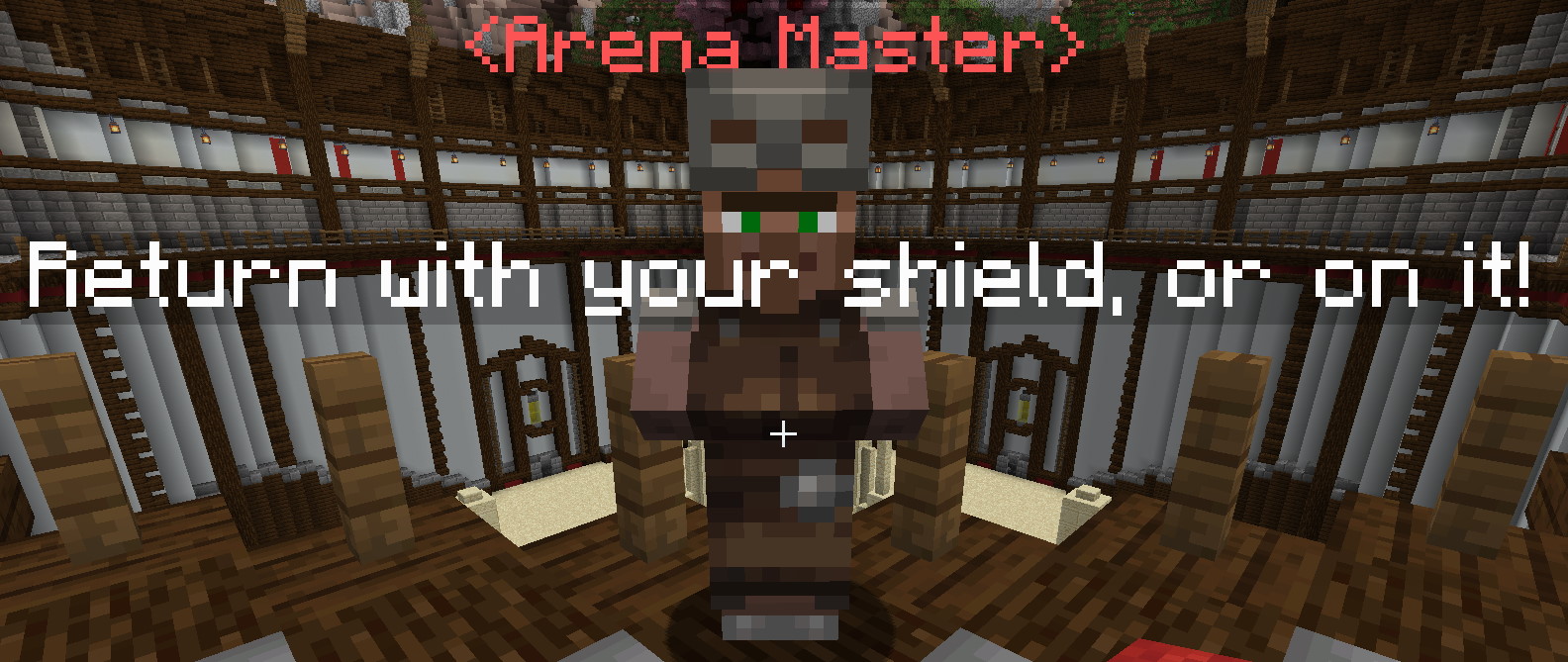
Use literal \n in a plain or single-quoted YAML string to split a chat bubble into lines.
farewell:
- Bye.
- Return with your\nshield, or on it!
canTalk
Enables ordinary greeting, dialogue and farewell bubbles. Disabling it does not disable the arena menu, quest dialogue, scripts or quest markers.
| Key | Values | Default |
|---|---|---|
canTalk | Boolean | true |
Example
canTalk: true
activationRadius
Sets the three-dimensional proximity radius in blocks. Values at or below zero disable proximity scanning; quest markers have their own range. Patrol movement and editing suppress ordinary proximity speech while active.
| Key | Values | Default |
|---|---|---|
activationRadius | Double | 3.0 |
Example
activationRadius: 3.0
timeout
Sets the NPC lifetime in minutes. Values at or below 0 disable it. Timeout removes the live NPC but retains its saved placement, so it can return after reload or chunk restoration. Use the NPC removal workflow to remove a placement permanently.
| Key | Values | Default |
|---|---|---|
timeout | Double | 0 |
Example
timeout: 60
interactionType
Sets the type of interaction the NPC will do.
| Key | Values | Default |
|---|---|---|
interactionType | Special [4] | NONE |
Example
interactionType: ARENA_MASTER
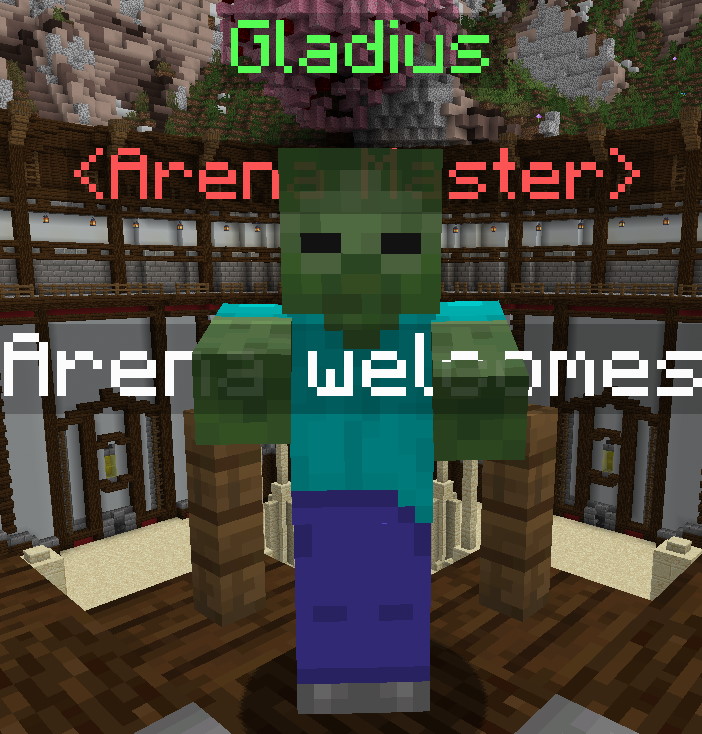
disguise
Sets the custom NPC disguise.
| Key | Values | Default |
|---|---|---|
disguise | Disguise | none |
Example
disguise: ZOMBIE
customDisguiseData
Supplies data for a named LibsDisguises custom disguise. Pair it with disguise: custom:your_disguise_name; this field alone does not activate a disguise.
| Key | Values | Default |
|---|---|---|
customDisguiseData | String | none |
Example
disguise: custom:arena_guide
customDisguiseData: player MHF_Pig
customModel
Sets a loaded custom model. FreeMinecraftModels takes priority when available; a missing model there does not retry through ModelEngine. A working model takes visual priority over a disguise. Players also need the corresponding resource-pack assets.
| Key | Values | Default |
|---|---|---|
customModel | String | none |
Example
customModel: my_model
arena
Sets the arena definition opened by ARENA_MASTER, including .yml. The definition must be enabled and successfully initialized. Opening the menu does not itself admit or teleport a player.
| Key | Values | Default |
|---|---|---|
arena | Filename | none |
Example
arena: my_arena.yml
command
Sets the command run as the interacting player, using that player's permissions. Requires interactionType: COMMAND. Omit the leading slash; no $player substitution is performed.
| Key | Values | Default |
|---|---|---|
command | String | none |
Example
command: say Hello
questFileName
Sets the quest filenames for the NPC. Requires interactionType to be set to CUSTOM_QUEST_GIVER.
| Key | Values | Default |
|---|---|---|
questFileName | String List | none |
Example
questFileName:
- my_quest_1.yml
- my_quest_2.yml
noPreviousLocationMessage
For TELEPORT_BACK, sets the message when no EliteMobs return location is saved. That location is recorded by an EliteMobs teleport originating outside an EliteMobs world; it is not simply the last place the player walked or died.
| Key | Values | Default |
|---|---|---|
noPreviousLocationMessage | String | empty |
Example
noPreviousLocationMessage: '&cCouldn''t find a previous location!'
instanced
Marks an NPC as an instanced-dungeon template rather than spawning it in the blueprint world. Ordinary arena NPCs use false; this key does not turn a physical arena into a cloned dungeon.
| Key | Values | Default |
|---|---|---|
instanced | Boolean | false |
Example
instanced: false
scale
Sets the underlying villager's scale. A disguise or custom model may have its own visual scaling; this field does not guarantee the same displayed size for every provider.
| Key | Values | Default |
|---|---|---|
scale | Double | 1.0 |
Example
scale: 1.0
syncMovement
Controls custom-model movement synchronization with the NPC. A valid configured patrol forces synchronization even when this field is false, including while that patrol is paused.
| Key | Values | Default |
|---|---|---|
syncMovement | Boolean | true |
Example
syncMovement: true
Arena Config Example
isEnabled: true
name: Example NPC
role: <Arena Master>
profession: ARMORER
spawnLocations:
  - my_minecraft_world,233,44,245,0,0
greetings:
  - Welcome to the Arena!
dialog:
  - Ready to enter the Arena?
farewell:
  - Bye!
canTalk: true
activationRadius: 3.0
interactionType: ARENA_MASTER
disguise: ZOMBIE
arena: example_arena.yml
This example shows a basic Arena NPC that will spawn in my_minecraft_world with a zombie disguise. Players can interact with this NPC to challenge the Example Arena.
Special [4]
The following is the list of valid NPC interaction types:
| Type | Description |
|---|---|
GUILD_GREETER | Opens skill bonus selection; requires elitemobs.skill.npc. |
CLASS_TRAINER | Opens training for classRoot when the [Alpha] Advanced Combat System is enabled; requires elitemobs.command. |
TRANSPORT | Opens destination selection from the transportRoutes list; see Transport. |
CHAT | Right-clicking selects a random line from dialog. |
CUSTOM_SHOP | Opens the custom shop menu |
PROCEDURALLY_GENERATED_SHOP | Opens the procedurally generated shop |
BAR | Displays the feature-coming-soon message. |
ARENA | Does nothing. Use ARENA_MASTER instead. |
QUEST_GIVER | Opens the procedurally generated quests menu |
CUSTOM_QUEST_GIVER | Opens the quest menu for a specific quest set in questFileName |
NONE | No built-in action; scripts, proximity and quest dialogue can still run. |
SELL | Opens the sell menu |
TELEPORT_BACK | Uses the saved EliteMobs return location; requires elitemobs.back.npc. |
SCRAPPER | Opens the scrap menu |
SMELTER | DEPRECATED - Feature removed, do not use |
REPAIRMAN | Opens the repair menu |
ENHANCER | DEPRECATED - Feature removed, do not use |
REFINER | DEPRECATED - Feature removed, do not use |
UNBINDER | Opens the unbind menu |
ARENA_MASTER | Opens the arena menu for the arena set in arena |
COMMAND | Runs the command set in command |
ENCHANTER | Opens the enchant menu |
SCROLL_APPLIER | Opens the scroll application menu |
ARROW_SHOP | Opens the arrow shop menu |
GAMBLING_BLACKJACK | Opens the blackjack gambling game |
GAMBLING_COINFLIP | Opens the coin flip gambling game |
GAMBLING_SLOTS | Opens the slots gambling game |
GAMBLING_HIGHERLOWER | Opens the higher/lower gambling game |
Other interaction types have their own permission and configuration requirements. See the full NPC interaction reference before using them; an arena entrance needs ARENA_MASTER.