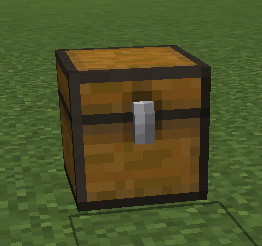
Creating Treasure Chests

Treasure Chests let admins make chests that either drop loot or spawn a mimic (hostile) boss. Put their configuration files in plugins/EliteMobs/customtreasurechests.
Values
isEnabled
Sets if a treasure chest is enabled.
| Key | Values | Default |
|---|---|---|
isEnabled | Boolean | true |
A file without this key loads as enabled. Disabled chests are skipped entirely: they are not placed in the world, and they are not offered to (or accepted by) /em place treasureChest.
Example
isEnabled: true
chestType
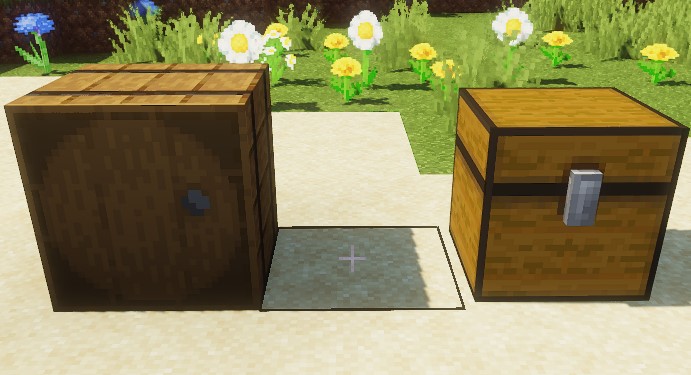
Sets the block material. Use a directional container such as CHEST or BARREL; this setting does not populate a normal container inventory. Loot comes from lootList when the player interacts.
| Key | Values | Default |
|---|---|---|
chestType | Material | CHEST |
Example
chestType: CHEST
This needs to be a valid chest material such as CHEST or BARREL.
facing
Sets the facing direction of the chest.
| Key | Values | Default |
|---|---|---|
facing | Special [1] | NORTH |
Example
facing: NORTH
This sets the direction the chest faces. Valid values are NORTH, SOUTH, EAST, or WEST.
Special [1]
Expand Table
| Facing |
|---|
NORTH |
SOUTH |
WEST |
EAST |
dropStyle
Sets if the chest is meant to be dropped for one player or multiple players.
SINGLE chests are consumed by the first player who interacts with them: the block is replaced with air, a restock deadline is written, and the block reappears once restockTimer minutes have passed and its chunk is loaded. There is no per-player tracking, so whoever gets there first takes the whole chest. Both left-click and right-click interactions can trigger treasure chests.
GROUP chests are never removed from the world. Instead each player who opens one is put on their own cooldown. Outside instances, all placements from the same configuration file share that player's cooldown through restockTimers. Use separate files if those placements should be independently lootable. In an instance, each runtime chest keeps its own player blacklist.
Both styles award personal loot to the interacting player. GROUP does not start a party loot vote or give loot to every nearby player. Interactions already cancelled by another plugin are ignored, and normal block breaking is blocked. There is no guild-rank requirement to open a chest.
| Key | Values | Default |
|---|---|---|
dropStyle | SINGLE / GROUP | SINGLE |
Example
dropStyle: SINGLE
lootList
Lists the loot that the treasure chest should drop when opened.
Each eligible entry rolls independently, so one opening can award several entries. Entry permissions, amounts and applicable dungeon-difficulty filters still apply. putLootDirectlyIntoPlayerInventory in ItemSettings.yml chooses inventory delivery or drops at the chest; elite-item inventory overflow drops at the player with that player's ownership.
| Key | Values | Default |
|---|---|---|
lootList | EM Loot Table | none |
Example
lootList:
- filename=elite_scrap_tiny.yml:chance=0.90
- filename=magmaguys_toothpick.yml:chance=1.0
If no entry successfully delivers a reward, the player receives treasureChestNoDropMessage from config.yml. This includes failed chance rolls and entries that cannot produce a reward. The cooldown is still consumed.
mimicChance
Sets the chance of spawning a hostile boss instead of dropping loot.
| Key | Values | Default |
|---|---|---|
mimicChance | Double | 0 |
For each eligible interaction, the mimic roll happens before loot generation. A successful roll attempts a mimic instead of the loot; it does not award both. Use a value from 0 to 1, where 0.5 means 50%. The cooldown is consumed even if the selected boss is missing or fails to spawn.
Example
mimicChance: 0.5
mimicCustomBossesList
Specifies the list of hostile bosses available for spawning. A single boss will be randomly selected from this list for spawning.
The list also supports a weight system that you can implement to ensure some bosses are picked more often that the others.
| Key | Values | Default |
|---|---|---|
mimicCustomBossesList | String List | none |
Example
mimicCustomBossesList:
- my_cool_mimic_boss.yml
- weak_mimic_boss.yml
If you wish to assign weights to the bosses, the list should be formatted as follows:
mimicCustomBossesList:
- my_cool_mimic_boss.yml:60
- weak_mimic_boss.yml:40
In this configuration, my_cool_mimic_boss.yml is more likely to be chosen for spawning than weak_mimic_boss.yml.
An entry with no weight suffix, and an entry whose weight cannot be read as a number, both fall back to a weight of 1.
Use distinct boss filenames and finite, positive weights. Repeating a filename replaces its earlier weight rather than adding another entry. The selector does not validate negative or non-finite weights. Ensure the selected bosses are enabled and can spawn.
What level does the mimic spawn at?
The boss file selects the level calculation; fixed numeric boss levels are replaced by the chest-tier calculation:
Mimic boss's level | Level it spawns at |
|---|---|
| A fixed number | chestTier × 10, plus a random 0-10 |
dynamic (-1) inside a dynamic dungeon | The dungeon's selected level, ±1 |
dynamic (-1) anywhere else | The opening player's natural spawn level, ±1 |
If the boss file named in the list cannot be found, no mimic spawns and a warning is logged — the player gets nothing, not the loot.
The ±1 calculations have a minimum result of level 1. If the opening player's inventory data is unavailable outside a dynamic dungeon, the dynamic mimic falls back to the boss's normal spawn path. Mimics created in a dungeon belong to that encounter.
restockTimer
Sets the time, in minutes, before the chest refills with loot.
| Key | Values | Default |
|---|---|---|
restockTimer | Integer | 0 |
Outside instances, SINGLE uses this delay before restoring the block in a loaded chunk, and GROUP uses it for each player's cooldown. These deadlines survive restarts. See instanced below for instance-specific behavior.
Leaving this at the default of 0 means there is effectively no cooldown at all, so the chest can be farmed repeatedly. Set a real value on any chest that drops something worth having.
Example
restockTimer: 30
effects
Note: This setting currently does nothing. The configuration loader reads it, but no treasure-chest behavior consumes the parsed value. It does not spawn particles.
If you want particles around a chest, spawn them from another source for now.
| Key | Values | Default |
|---|---|---|
effects | String List | none |
locations
Sets the locations where the treasure chest will spawn.
Add locations with /em place treasureChest <treasurechestfilename.yml> while standing at the desired block. The command requires a player with elitemobs.place.admin and a loaded, enabled chest configuration. It saves the block coordinates in the file and places the chest right away. Running it on a block that is already listed resets that placement's restock deadline instead of adding a second entry.
| Key | Values | Default |
|---|---|---|
locations | String List | none |
Each entry uses the format worldName,x,y,z,yaw,pitch. The shorter worldName,x,y,z form is also accepted, in which case yaw and pitch are treated as 0.
Entries may carry a :unixTimestamp suffix, storing that placement's restock deadline in Unix seconds. EliteMobs writes it when a SINGLE chest is looted. Stop the server before removing a deadline manually; the change takes effect on loading the configuration and does not reset an already-running chest.
One file can hold multiple locations. SINGLE placements have independent restock deadlines; non-instanced GROUP placements share the file's per-player cooldown list.
Fractional coordinates are rounded down to the block they fall in. Do not combine legacy location with locations: the loader prefers location, even though restock saving uses a nonempty locations list. Removing a chest with /em remove deletes only the clicked placement from the file and leaves the other placements in place.
Example
locations:
- my_world,10,50,10,0,0
- my_nether_world,12,58,12,0,0
- my_world,80,64,-30,0,0:1707394380
chestTier
Sets the tier of the chest, which is the baseline for the level of the loot it drops. The baseline level is chestTier * 10.
| Key | Values | Default |
|---|---|---|
chestTier | Integer | 0 |
How much chestTier actually matters depends on where the chest is and what kind of item is in the loot table:
| Situation | Level the loot drops at |
|---|---|
| Chest opened outside any instance | scalable elite items follow the opening player's natural spawn level, ±1. Everything else uses chestTier * 10. |
| Chest inside a dynamic dungeon | The dungeon's selected level is used for everything, with scalable elite items getting ±1. chestTier is ignored. |
| Chest inside any other instance | chestTier * 10 for everything. |
These are the levels passed to item generation. fixed items still retain their authored stats, and limited items still obey their configured cap; the chest does not override those scalability rules. On a normal survival world, scalable items track the player who opened the chest. Mimics use a different formula — see mimicCustomBossesList.
The ±1 loot calculations have a minimum result of level 1. If player inventory data is unavailable outside an instance, loot falls back to chestTier * 10.
Leaving this at the default of 0 gives a baseline loot level of 0.
Example
chestTier: 3
instanced
Sets if the chest should be instanced (for use in instanced dungeons).
For an instanced chest, normal timed restocking is not scheduled after looting: SINGLE removes the block, and GROUP lets each player loot that runtime chest once. Concurrent instances have separate runtime chest state.
There is a SINGLE limitation: unloading and reloading its chunk schedules restocking again, using the runtime restock deadline. It can therefore reappear in the same instance after that deadline. Use GROUP when you need the in-memory once-per-player restriction throughout the instance.
DO NOT SET THIS VALUE MANUALLY.
| Key | Values | Default |
|---|---|---|
instanced | Boolean | false |
Example
instanced: true
restockTime
After a chest has been looted, the plugin will write this key to track restock time.
This is only used by the legacy single-chest format, where the chest's position lives in a location key instead of the locations list. As soon as a file has any locations entries, the restock time is written as a :unixTimestamp suffix on the matching locations entry instead and this key is left alone.
DO NOT SET THIS VALUE MANUALLY.
| Key | Values | Default |
|---|---|---|
restockTime | Unix timestamp in seconds | 0 |
Example
restockTime: 1707394380
restockTimers
Stores per-player cooldown data for GROUP mode chests. The plugin writes this automatically when a player loots the chest, and drops expired entries each time it writes. The cooldown is saved before any loot is handed out; if that save fails, the player is told to try again later and gets nothing.
Instanced chests do not use this list — inside an instance the per-player cooldown is kept in memory for the lifetime of that instance only.
DO NOT SET THIS VALUE MANUALLY.
| Key | Values | Default |
|---|---|---|
restockTimers | String List | none |
Example
restockTimers:
- '12345678-abcd-4ef0-8123-123456789012:1707394380'
- '09876543-abcd-4ef0-8123-098765432109:1707395000'
Each entry contains a player UUID and Unix timestamp in seconds separated by a colon.
Treasure Chest Config Example
isEnabled: true
chestType: CHEST
facing: NORTH
chestTier: 3
dropStyle: GROUP
lootList:
- filename=elite_scrap_tiny.yml:chance=0.90
- filename=magmaguys_toothpick.yml:chance=0.95
mimicChance: 0.50
mimicCustomBossesList:
- balrog.yml
- killer_rabbit_of_caerbannog.yml
restockTimer: 1
locations:
- world,0.0,-60.0,-14.0,0.0,0.0
Note that every loot entry above uses the filename= prefix. Writing magmaguys_toothpick.yml:chance=0.95 instead would be read as the legacy filename.yml:chance format, and chance=0.95 is not a number, so the entry would log a parse warning on every startup.