エリートスクリプトゾーン
ゾーンは形状によって定義された場所で、スクリプト作成者があらゆるアクションを実行するためのターゲットとして使用できます。
スクリプトごとに設定できる Zone マッピングは1つです。最上位の名前はこの大文字小文字で記述してください。内部のフィールド名は大文字小文字を区別しませんが、形状とフィルターの列挙値は大文字が必要です。1つのマッピングでも、原点ターゲットが複数あれば複数の形状を生成できます。
ゾーンをターゲットにするには、ターゲットタイプ ZONE_FULL または ZONE_BORDER を使用できます。
ゾーン自体も、どこに出現するかを定義するためにスクリプトターゲットを使用します。
ゾーンの Target を省略すると SELF になります。ほかのパーサー既定値は shape: CYLINDER、filter: PLAYER、radius: 5、borderRadius: 1、height: 1、pointRadius: 0.5、animationDuration: 0、ignoresSolidBlocks: true です。回転と直方体の寸法はゼロです。用途に合う寸法を明示してください。既定値があることは、戦闘設定全体が妥当であることを意味しません。以下の表は各形状で明示すべき項目を示しており、省略すると必ず構文エラーになる項目だけを示すものではありません。
寸法には有限の正数を使い、レイと円錐の両端は同じワールド内の異なる点にしてください。固定値を推奨します。小数の ~ 範囲は min 以上 max 未満から抽選され、繰り返し抽選される場合があります。5~1 のような逆順の範囲があると、EliteMobs はスクリプト全体をスキップします。大きな体積は多くの位置を生成します。円柱・円錐・直方体・レイのエンティティ検索は、形状を囲むボックスが各軸 256 ブロック以内であればそのボックス内を探します。球・ドーム、およびそれより大きな形状では、形状のワールド全体から候補を調べます。形状の大きさと繰り返し頻度を効果に見合う範囲にしてください。
パーティクルアクションはエンティティの当たり判定ではなく、形状からサンプリングした位置を使います。ゾーンの SPAWN_PARTICLE アクションは既定で約30%のカバレッジを使います。すべてのサンプル位置を残すには、アクションターゲットに coverage: 1.0 を明示してください。filter はパーティクル位置を変えません。エンティティの包含判定は以下のとおり形状ごとに異なるため、パーティクルの輪郭が正確な衝突境界とは限りません。
shape
ゾーンの形状を設定します。有効な形状:
| 形状タイプ | 詳細 | アニメーション対応 | ボーダー |
|---|---|---|---|
CYLINDER | 円柱形 | ❌ | ✅ |
SPHERE | 球形 | ❌ | ✅ |
DOME | ドーム形(半球) | ❌ | ✅ |
CUBOID | 直方体形 | ❌ | ✅ |
STATIC_RAY | 解決された2点間の線。独自のアニメーションなし | ❌ | ❌ |
ROTATING_RAY | 2点間の回転線 | ✅ | ❌ |
TRANSLATING_RAY | 2つの初期点から2つの終点へ移動する線 | ✅ | ❌ |
CONE | 円錐形 | ❌ | ✅ |
アニメーション対応
アニメーションは、アクションが形状を生成してキャッシュしたときに始まります。animationDuration が正数なら、通常はアクション開始時の wait より前です。アクションごとに別々のアニメーション形状が作られる場合があります。
つまり、アクションに待機時間がある場合、そのアクションが始まる時点で、待機している間にもゾーンはすでに動き回っているということです。
ゾーンのアニメーションは毎ティック進みます。毎ティック表示するには SPAWN_PARTICLE に repeatEvery: 1 を設定してください。頻度を下げると表示されるフレームは減りますが、ゾーンは動き続けます。
回転するゾーンのアクションを作りたいけれど、アクションを開始する前に一定のティック数だけ待機させたい場合は、それを別のスクリプトにして RUN_SCRIPT で呼び出してください。RUN_SCRIPT 側に希望の待機時間を設定するのを忘れないでください。
アニメーションタスク終了後も、ゾーンは最後に計算した形状を保持します。期間には正数を使ってください。アニメーションの最後のフレームでは、設定した回転がちょうど適用されるか、最終ターゲットにちょうど到達します。
animationDuration が正の場合、各アクションは track の設定にかかわらず、開始時に形状をキャッシュします。キャッシュした形状は初期の端点から動き、移動するボスやプレイヤーには追従しません。静的形状の原点を固定するには、アクションの Target に track: false を設定してください。Zone.Target だけに設定してもアクションの形状は固定されません。キャッシュの寿命はターゲットガイドを参照してください。
ボーダー
一部のゾーンはボーダーを持てます。ボーダーがあるということは、そのゾーンのターゲットとして ZONE_BORDER を使えるということです。ボーダーは、大きい方の形状の内側に2つ目の小さい形状を作ることで定義されます。小さいゾーンと大きいゾーンの間の領域がボーダーです。
borderRadius は境界の厚さではなく内側の半径です。0以上で外側の半径より小さくしてください。円柱では同じ高さの内側の円柱を除くため、上下面の蓋はなく側面のリングになります。直方体の境界位置には別のサンプリング規則があり、エンティティの境界検索とは異なる場合があります。レイには境界結果がないため、ZONE_FULL を使ってください。
例
eliteScript:
  Example:
    Events:
      - EliteMobDamagedByPlayerEvent
    Zone:
      shape: CYLINDER
      radius: 4
      borderRadius: 3
      height: 8
      Target:
        targetType: SELF
    Actions:
      - action: SPAWN_PARTICLE
        particles:
          - particle: SMOKE_LARGE
        Target:
          targetType: ZONE_BORDER
        repeatEvery: 5
        times: 20
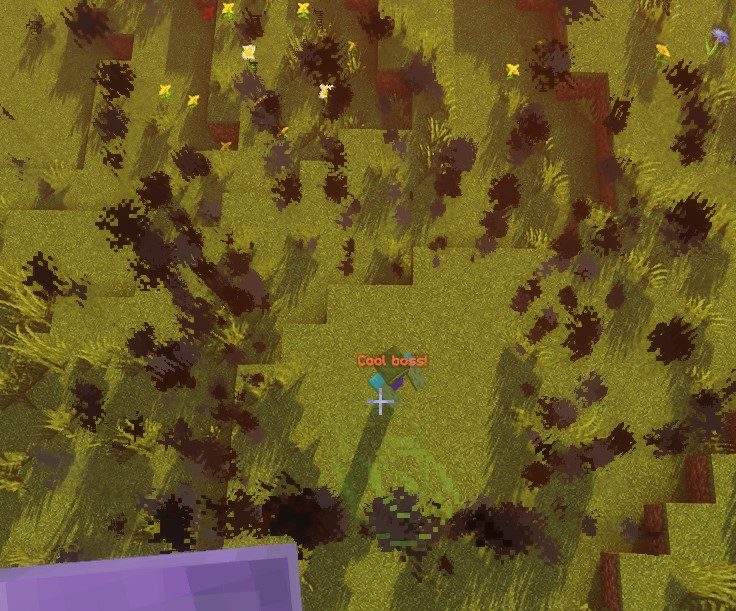
このスクリプトは、境界のサンプル位置に5ティック間隔で20回煙を生成します。初回は即時、最終回は95ティック後で、毎秒20ティックなら約4.75秒後です。繰り返しタスクは次の間隔で終了します。パーティクル自体の寿命はアクションの実行時刻とは別です。
ZONE_FULL では、境界だけでなくゾーン全体からパーティクル位置を選びます。
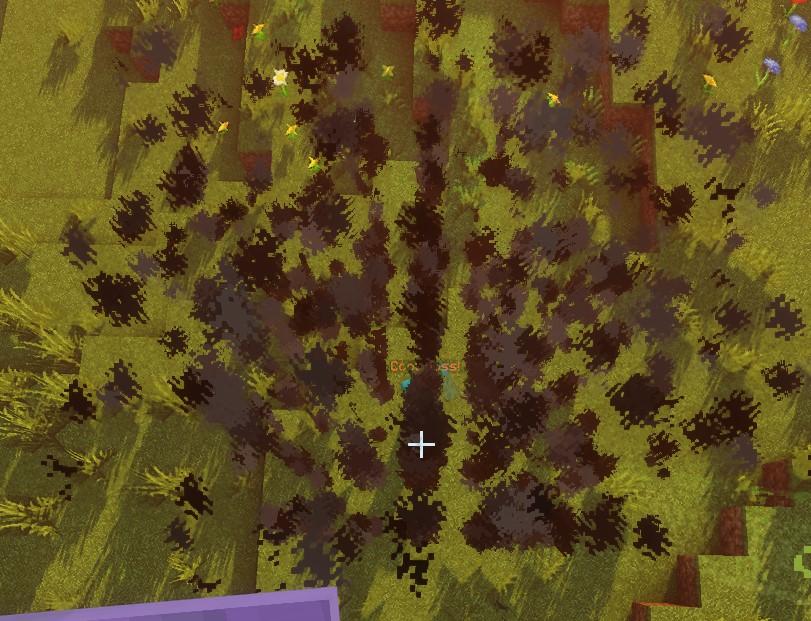
SPHERE
原点は球の中心です。位置は半径内の整数間隔の格子からサンプリングします。エンティティは足元から目までの高さの半分を半径とする球として近似されるため、足が外にあってもゾーンに重なることがあります。境界のエンティティ判定では、内側の球に重なるエンティティも除外されます。
| キー | 詳細 | 明示的に設定 |
|---|---|---|
shape | ゾーンの形状を設定します。SPHERE にします | ✅ |
target | 球の中心となる位置を設定します | ✅ |
filter | どの種類のエンティティを対象にするかを設定します | ❌ |
radius | 球の半径 | ✅ |
borderRadius | 内側の球の半径 | ❌ |
例
eliteScript:
  Example:
    Events:
      - EliteMobDamagedByPlayerEvent
    Zone:
      shape: SPHERE
      radius: 4
      borderRadius: 3
      Target:
        targetType: SELF
    Actions:
      - action: SPAWN_PARTICLE
        particles:
          - particle: CLOUD
        Target:
          targetType: ZONE_FULL
        repeatEvery: 5
        times: 20
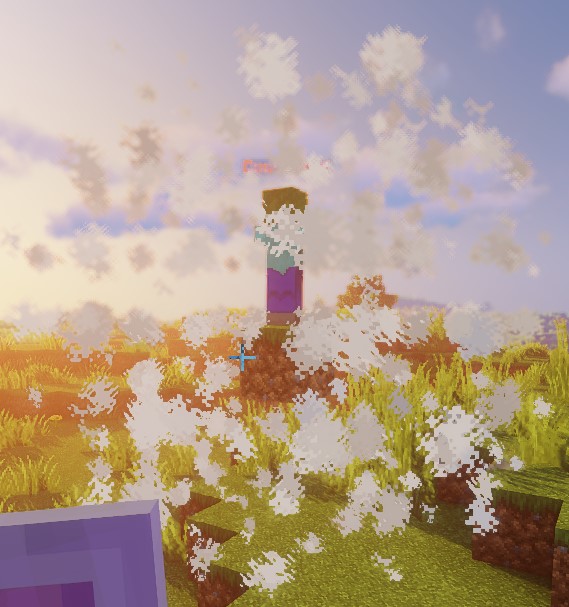
このスクリプトは雲パーティクルを使用して球の形状を示しています。
DOME
パーティクルは原点の高さから上側の半球をサンプリングします。現在の制約として、全体のエンティティ検索は半球の制限なしで球の判定を継承するため、ZONE_FULL はドームより下のエンティティも選択できます。境界のエンティティ検索では、足元が originY - 1 より上であることも必要です。直接の位置判定もこの閾値を使います。ドームのパーティクル表示を、上半分だけが当たり判定になる証拠として扱わないでください。
| キー | 詳細 | 明示的に設定 |
|---|---|---|
shape | ゾーンの形状を設定します。DOME にします | ✅ |
target | ドームの中心となる位置を設定します | ✅ |
filter | どの種類のエンティティを対象にするかを設定します | ❌ |
radius | ドームの半径 | ✅ |
borderRadius | 内側のドームの半径 | ❌ |
例
eliteScript:
  Example:
    Events:
      - EliteMobDamagedByPlayerEvent
    Zone:
      shape: DOME
      radius: 4
      borderRadius: 3
      Target:
        targetType: SELF
    Actions:
      - action: SPAWN_PARTICLE
        particles:
          - particle: CLOUD
        Target:
          targetType: ZONE_FULL
        repeatEvery: 5
        times: 20
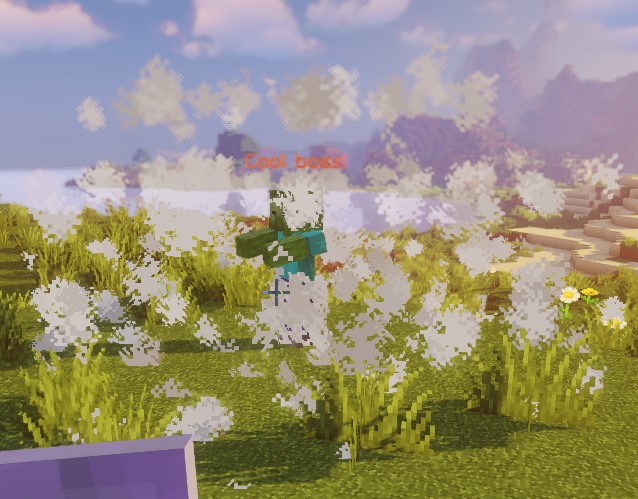
このスクリプトは雲パーティクルを使用してドームの形状を示しています。
CONE
各原点に対し、円錐は Target2 で最初に解決された位置を使います。近くのプレイヤー検索は距離順ではありません。特定のエンティティに向けるなら単一ターゲットを使ってください。
Target が頂点、Target2 が底面の中心で、両者の距離が高さになります。同じワールド内の異なる点を指定してください。エンティティ判定は足元、当たり判定ボックスの中心と上端を調べ、ボックス全体の厳密な交差は調べません。サンプル位置はワールドの整数座標格子を使います。
| キー | 詳細 | 明示的に設定 |
|---|---|---|
shape | ゾーンの形状を設定します。CONE にします | ✅ |
target | 円錐の頂点(先端)となる位置を設定します | ✅ |
target2 | 円錐の底面の中心となる位置を設定します | ✅ |
filter | どの種類のエンティティを対象にするかを設定します | ❌ |
radius | 円錐の底面の半径 | ✅ |
borderRadius | 内側の円錐の半径 | ❌ |
例
eliteScript:
  Example:
    Events:
    - EliteMobDamagedByPlayerEvent
    Zone:
      shape: CONE
      radius: 10
      Target:
        targetType: SELF
        offset: 0,0,0
      Target2:
        targetType: SELF
        offset: 0,10,0
    Actions:
      - action: SPAWN_PARTICLE
        particles:
        - particle: CLOUD
        Target:
          targetType: ZONE_FULL
          coverage: 0.8
        repeatEvery: 5
        times: 20
このスクリプトは雲パーティクルを使用して円錐の形状を示しています。このゾーンは CONE 形状、つまり3Dの体積であることに注意してください。薙ぎ払い系のエフェクトを作ろうとしている場合は重要な点です。
CYLINDER
原点は底面の中心です。円柱は height だけ上に伸び、原点の上下に均等には広がりません。エンティティ判定では、水平方向の判定に加えて、当たり判定ボックスの高さ全体が底面と上面の間に収まる必要があります。そのため高さ1の表示用円柱では、通常、立っているプレイヤーを選択できません。エンティティ用アクションには十分な高さと適切な原点を使ってください。
| キー | 詳細 | 明示的に設定 |
|---|---|---|
shape | ゾーンの形状を設定します。CYLINDER にします | ✅ |
target | 底面の中心 | ✅ |
filter | どの種類のエンティティを対象にするかを設定します | ❌ |
radius | 円柱の半径 | ✅ |
borderRadius | 内側の円柱の半径 | ❌ |
height | 円柱の高さ | ✅ |
例
eliteScript:
  Example:
    Events:
      - EliteMobDamagedByPlayerEvent
    Zone:
      shape: CYLINDER
      radius: 4
      borderRadius: 3
      height: 8
      Target:
        targetType: SELF
    Actions:
      - action: SPAWN_PARTICLE
        particles:
          - particle: CLOUD
        Target:
          targetType: ZONE_FULL
        repeatEvery: 5
        times: 20
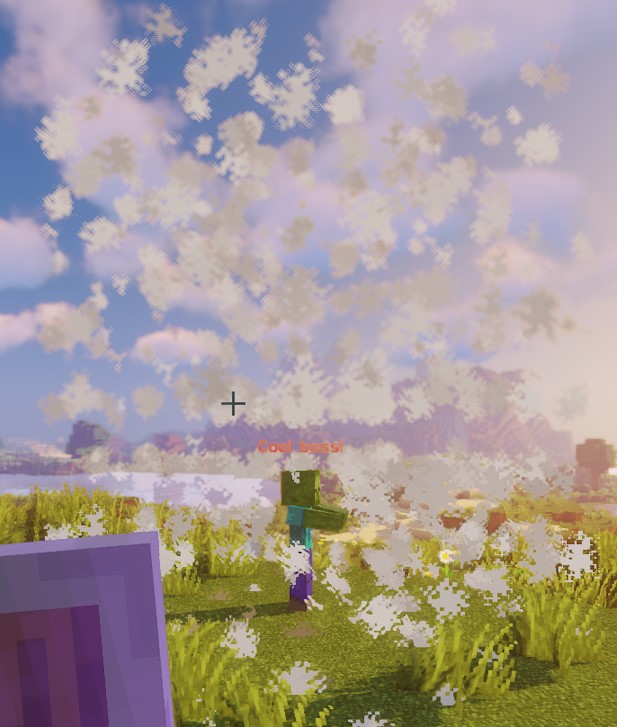
このスクリプトは雲パーティクルを使用して円柱の形状を示しています。
CUBOID
現在の直方体実装では、サンプル位置、個別の点判定、エンティティ判定で範囲が異なります。サンプル位置は中心付近の X 方向に x、Z 方向に z ブロック広がり、上に y ブロック伸びます。エンティティの重なり判定では半幅 x / 2、z / 2 を使いますが、上方向は y / 2 だけです。直接の点判定は ±x、±y、±z を使います。パーティクルとエンティティ検索の体積が一致するとは限らないため、サーバー上で意図した形状を確認してください。ネイティブ Lua の直方体にも同じ制約があります。
正の整数寸法なら、パーティクルの X 座標は -floor(x / 2) から x - 1 - floor(x / 2)、Z も同様で、縦方向は 0 から y - 1 です。エンティティの範囲は原点のブロック座標を使い、水平方向の端を切り下げます。境界パーティクルは Y <= yBorder かつ X または Z が内側の半幅以上に離れたサンプル点を残します。これは外側から内側の直方体を引いた完全な殻ではありません。
| キー | 詳細 | 明示的に設定 |
|---|---|---|
shape | ゾーンの形状を設定します。CUBOID にします | ✅ |
target | 直方体の中心となる位置を設定します | ✅ |
filter | どの種類のエンティティを対象にするかを設定します | ❌ |
x | 直方体の長さを設定します | ✅ |
y | 直方体の高さを設定します | ✅ |
z | 直方体の幅を設定します。デフォルトは x と同じです | ❌ |
xBorder | 内側の直方体の長さを設定します | ❌ |
yBorder | 内側の直方体の高さを設定します | ❌ |
zBorder | 内側の直方体の幅。0 の場合、xBorder がゼロ以外ならその値を使います | ❌ |
例
eliteScript:
  Example:
    Events:
      - EliteMobDamagedByPlayerEvent
    Zone:
      shape: CUBOID
      x: 4
      y: 4
      z: 4
      xBorder: 3
      yBorder: 3
      zBorder: 3
      Target:
        targetType: SELF
    Actions:
      - action: SPAWN_PARTICLE
        particles:
          - particle: CLOUD
        Target:
          targetType: ZONE_FULL
        repeatEvery: 5
        times: 20
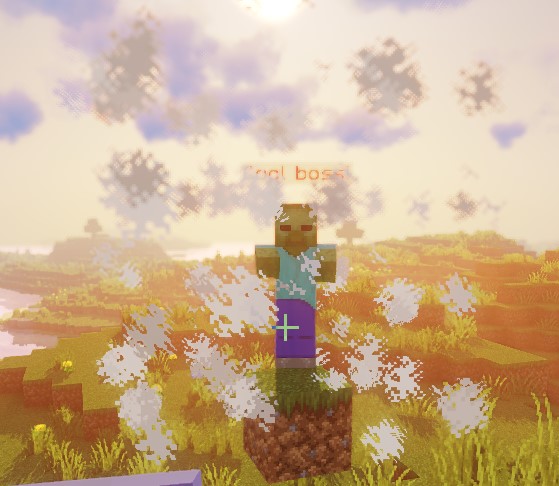
このスクリプトは雲パーティクルを使用して直方体の形状を示しています。
STATIC_RAY
解決された各 Target 原点は、同じワールドで解決されたすべての Target2 端点と組み合わされます。STATIC_RAY に独自のアニメーションはありませんが、アクションターゲットが既定の track: true なら、繰り返しアクションは現在の端点からレイを再生成します。端点を固定するにはアクションターゲットに track: false を指定してください。
pointRadius はサンプリング間隔と衝突判定の半径を制御し、直径全体ではありません。静的レイと移動レイは最大500ステップなので、サンプリングの最大距離は約 500 * pointRadius ブロックです。回転レイの間隔は 2 * pointRadius です。必ず正数を使ってください。ignoresSolidBlocks: false ではサンプル位置に固体ブロックがあれば停止します。連続的な衝突検査ではないため、大きな間隔では障害物を飛び越すことがあります。エンティティ判定はサンプル点の周囲の球との重なりを調べます。
| キー | 詳細 | 明示的に設定 |
|---|---|---|
shape | ゾーンの形状を設定します。STATIC_RAY にします | ✅ |
target | 線の始点となる位置を設定します | ✅ |
target2 | 線の終点となる位置を設定します | ✅ |
filter | どの種類のエンティティを対象にするかを設定します | ❌ |
ignoresSolidBlocks | レイが固体ブロックを通過するかを設定します。デフォルトは true です | ❌ |
pointRadius | レイの太さを設定します。デフォルトは0.5ブロックです。 | ❌ |
例
eliteScript:
  Example:
    Events:
      - EliteMobDamagedByPlayerEvent
    Zone:
      shape: STATIC_RAY
      Target2:
        targetType: DIRECT_TARGET
        offset: 0,1,0
      Target:
        targetType: SELF
        offset: 0,1,0
    Actions:
      - action: SPAWN_PARTICLE
        particles:
          - particle: CLOUD
        Target:
          targetType: ZONE_FULL
        repeatEvery: 5
        times: 20
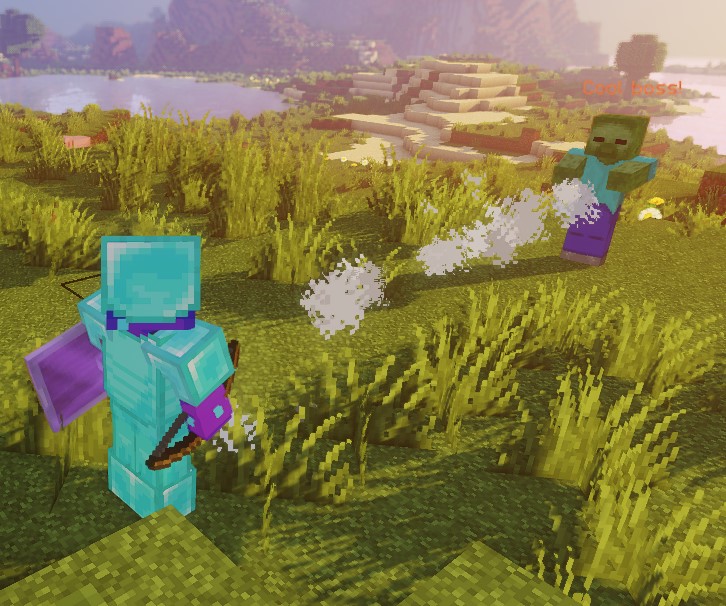
このスクリプトは雲パーティクルを使用して静的レイの形状を示しています。
両端の offset: 0,1,0 によってレイを足元から1ブロック上に置いています。あらゆる高さのエンティティの中央になるわけではありません。
ROTATING_RAY
回転値の単位は度、期間はティックです。各原点は同じワールド内の有効な各 Target2 と組み合わされ、始点は回転の支点として固定されます。初期およびアニメーションのピッチ・ヨー回転は正負両方を受け付けます。最初のアニメーションティックの前から、事前に回転した完全なレイが存在します(期間がゼロの場合も同様です)。開始時の端点は異なる位置にする必要があります。負の期間と有限でない値は拒否されます。
| キー | 詳細 | 明示的に設定 |
|---|---|---|
shape | ゾーンの形状を設定します。ROTATING_RAY にします | ✅ |
filter | どの種類のエンティティを対象にするかを設定します | ❌ |
target | 線の始点となる位置を設定します | ✅ |
target2 | 線の終点となる位置を設定します | ✅ |
animationDuration | 回転にかける時間をティック単位で設定します | ✅ |
pitchPreRotation | アニメーション前にピッチへ初期回転を適用します | ❌ |
yawPreRotation | アニメーション前にヨーへ初期回転を適用します | ❌ |
pitchRotation | アニメーションのピッチ回転を設定します | ❌ |
yawRotation | アニメーションのヨー回転を設定します | ❌ |
ignoresSolidBlocks | レイが固体ブロックを通過するかを設定します。デフォルトは true です | ❌ |
pointRadius | レイの太さを設定します。デフォルトは0.5ブロックです。 | ❌ |
例
eliteScript:
  Example:
    Events:
      - EliteMobDamagedByPlayerEvent
    Zone:
      shape: ROTATING_RAY
      animationDuration: 100
      pitchPrerotation: 0
      yawPrerotation: 0
      pitchRotation: 0
      yawRotation: 360
      ignoresSolidBlocks: true
      Target:
        targetType: SELF
        offset: 0,1,0
      Target2:
        targetType: DIRECT_TARGET
        offset: 0,1,0
    Actions:
      - action: SPAWN_PARTICLE
        particles:
          - particle: CLOUD
        Target:
          targetType: ZONE_FULL
        repeatEvery: 1
        times: 100
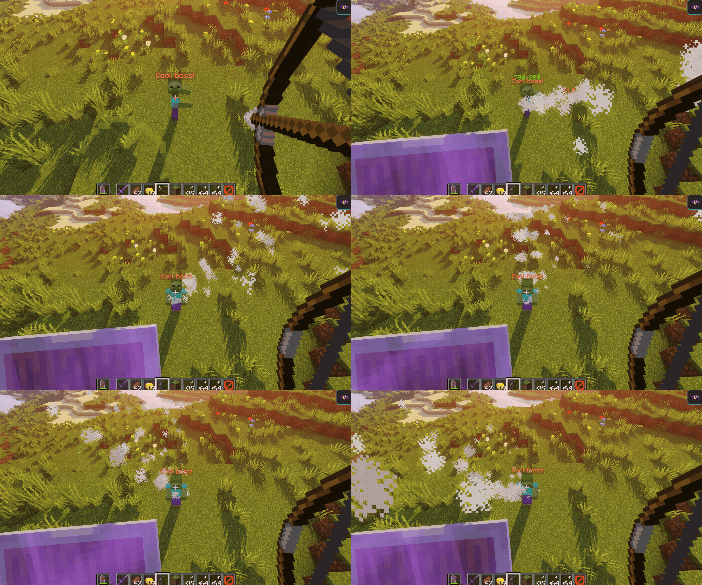
このスクリプトは雲パーティクルを使用した回転レイの見た目を示しています。
まず、雲パーティクルを使ってボスから自分を傷つけたプレイヤーへ向かうレイを作成します。次に offset を使って位置を1ブロック分だけ上へ調整します。
続いて、ボス側の原点を支点として100ティックで360度回転します。プレイヤーは初期方向を決めるもので、回転中心ではありません。負のピッチ・ヨー値を指定すると逆方向に回転します。
TRANSLATING_RAY
初期の各 Target / Target2 ペアは、最初に解決された FinalTarget と FinalTarget2 を使います。最終ターゲットを省略すると、その端点は開始位置に留まります。すべての端点を同じワールドに置いてください。正の期間では正確な移動先までアニメーションし、期間がゼロの場合は初期のレイが静止したままです。負の期間は拒否されます。
| キー | 詳細 | 明示的に設定 |
|---|---|---|
shape | ゾーンの形状を設定します。TRANSLATING_RAY にします | ✅ |
filter | どの種類のエンティティを対象にするかを設定します | ❌ |
animationDuration | 移動にかける時間をティック単位で設定します | ✅ |
target | 線の始点となる位置を設定します | ✅ |
finalTarget | 線の始点の移動先となる位置を設定します | ✅ |
target2 | 線の2点目となる位置を設定します | ✅ |
finalTarget2 | 線の2点目の移動先となる位置を設定します | ✅ |
ignoresSolidBlocks | レイが固体ブロックを通過するかを設定します。デフォルトは true です | ❌ |
pointRadius | レイの太さを設定します。デフォルトは0.5ブロックです。 | ❌ |
例
eliteScript:
  Example:
    Events:
      - EliteMobDamagedByPlayerEvent
    Zone:
      shape: TRANSLATING_RAY
      Target:
        targetType: SELF
      FinalTarget:
        targetType: SELF
        offset: 0,10,0
      Target2:
        targetType: DIRECT_TARGET
      FinalTarget2:
        targetType: DIRECT_TARGET
        offset: 0,10,0
      animationDuration: 100
      ignoresSolidBlocks: true
    Actions:
      - action: SPAWN_PARTICLE
        particles:
          - particle: CLOUD
        Target:
          targetType: ZONE_FULL
        repeatEvery: 1
        times: 100
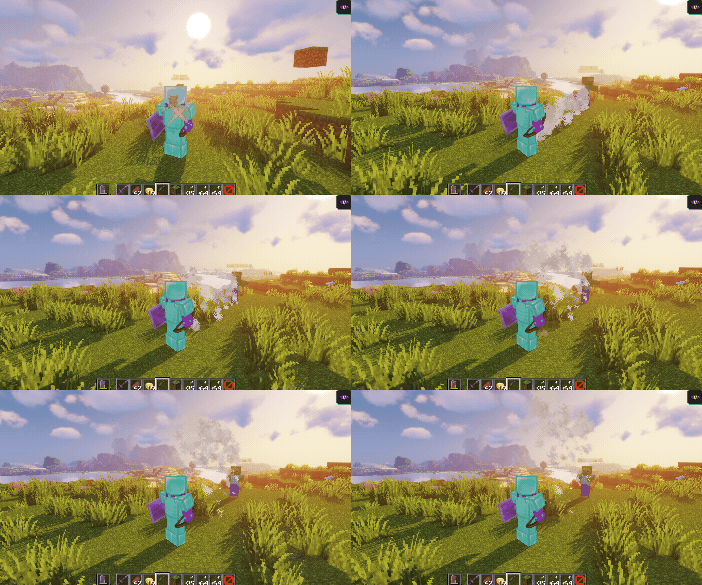
このスクリプトは雲パーティクルを使用した移動レイの見た目を示しています。
まず、雲パーティクルを使ってボスから自分を傷つけたプレイヤーへ向かうレイを作成します。
次に、FinalTarget と FinalTarget2 のオフセットを使い、レイを10ブロック上へ動かします。
設定された期間は100ティックで、毎秒20ティックなら約5秒です。最後のフレームは最終ターゲットにちょうど到達します。
Z の offset を offset: 0,0,10 のように調整すれば、レイを簡単に横方向へ動かせます。
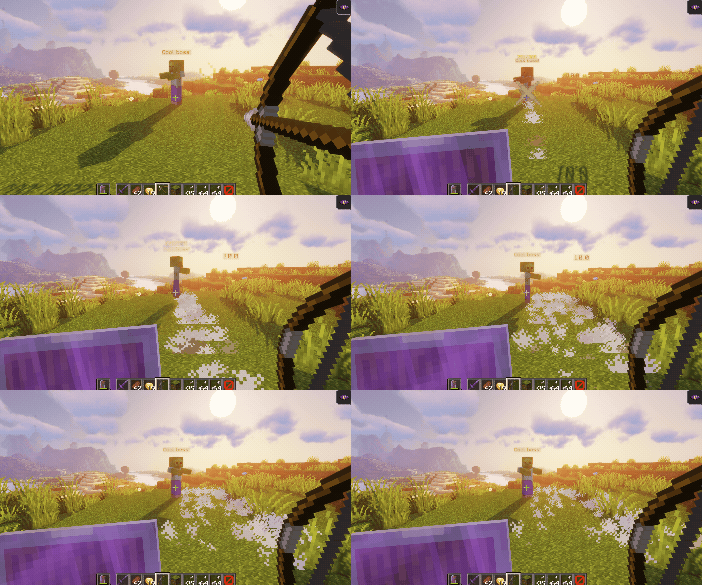
オフセットはワールドの軸を使います。視点を変えても画面上の見え方が変わるだけです。X オフセットは向いている方向に関係なくワールドの X 軸に沿って移動します。
filter
filter プロパティを使うと、ゾーン内の特定のエンティティだけを対象にできます。指定できるエンティティは次のとおりです。
フィルターはエンティティ検索に適用され、パーティクル位置には適用されません。ELITE と LIVING は形状判定を満たせば発動元のボスも含みます。PLAYER 自体はスペクテイターやほかの戦闘のプレイヤーを除外しません。アクション固有の追加条件が適用される場合もあります。
| 値 | 詳細 |
|---|---|
PLAYER | ゾーン内のプレイヤーのみ(デフォルト) |
ELITE | ゾーン内でエリートとして追跡されている生体エンティティ |
LIVING | プレイヤーを含むゾーン内の生体エンティティ |
例
eliteScript:
  FilterExample:
    Events:
    - PlayerDamagedByEliteMobEvent
    Zone:
      shape: SPHERE
      radius: 12
      borderRadius: 11
      filter: ELITE
      Target:
        targetType: SELF
        track: false
この断片はゾーンのエンティティフィルターをエリートに設定します。まだ Actions がないため、実行可能な完全なスクリプトではありません。原点ターゲットの track: false はアクションのゾーンを固定しません。固定原点が必要なアクションを追加するときは、その ZONE_FULL または ZONE_BORDER ターゲットに指定してください。