Zonas do Elite Script
Zonas são locais definidos por uma forma que podem ser usados como alvos por criadores de scripts para executar qualquer tipo de ação.
Apenas um mapa YAML Zone pode ser definido por script. Usa exatamente esta grafia no nível superior; os campos internos não distinguem maiúsculas de minúsculas, mas os valores de forma e filtro devem estar em maiúsculas. Vários alvos de origem podem gerar várias formas a partir desse mapa.
Para visar zonas, pode usar-se o tipo de alvo ZONE_FULL ou ZONE_BORDER.
As próprias zonas também usam Alvos de Script para definir onde a zona vai aparecer.
Se o Target da zona for omitido, usa-se SELF. Os restantes valores predefinidos do analisador são shape: CYLINDER, filter: PLAYER, radius: 5, borderRadius: 1, height: 1, pointRadius: 0.5, animationDuration: 0 e ignoresSolidBlocks: true. As rotações e dimensões do cuboide começam em zero. Define dimensões úteis explicitamente; estas predefinições não validam um encontro completo. As tabelas indicam os campos a definir para cada forma, não os campos cuja ausência provoca sempre um erro de análise.
Usa dimensões finitas e positivas, e extremos distintos no mesmo mundo para raios e cones. Prefere valores numéricos fixos: um intervalo decimal com ~ sorteia valores desde min até max, sem incluir max, e pode ser amostrado repetidamente. Um intervalo invertido como 5~1 faz o EliteMobs ignorar o script inteiro. Volumes grandes geram muitas posições. As consultas de entidades de cilindros, cones, cuboides e raios pesquisam numa caixa em torno da forma quando essa caixa mede 256 blocos ou menos em cada eixo; esferas, cúpulas e formas maiores examinam candidatos de todo o mundo da forma. Adapta as dimensões e a frequência de repetição ao efeito.
As partículas usam posições geométricas amostradas, não as caixas de colisão das entidades. Uma ação de zona SPAWN_PARTICLE tem uma cobertura predefinida de aproximadamente 30%; define coverage: 1.0 explicitamente no seu alvo para conservar todas as posições amostradas. filter não altera as posições das partículas. A verificação de entidades varia consoante a forma, como explicado abaixo; um contorno de partículas não é uma fronteira de colisão exata.
shape
Define a forma da zona. Formas válidas:
| Tipo de forma | Detalhes | Animável | Borda |
|---|---|---|---|
CYLINDER | Forma cilíndrica | ❌ | ✅ |
SPHERE | Forma esférica | ❌ | ✅ |
DOME | Forma de cúpula (meia esfera) | ❌ | ✅ |
CUBOID | Forma de cuboide | ❌ | ✅ |
STATIC_RAY | Linha entre dois pontos resolvidos, sem animação própria | ❌ | ❌ |
ROTATING_RAY | Uma linha giratória entre dois pontos | ✅ | ❌ |
TRANSLATING_RAY | Uma linha que se move entre dois pontos iniciais e dois pontos finais | ✅ | ❌ |
CONE | Forma de cone | ❌ | ✅ |
Animável
Uma forma animada inicia a animação quando uma ação a gera e guarda em cache. Com animationDuration positivo, isto acontece normalmente ao iniciar a ação, antes do seu wait. Ações diferentes podem criar formas animadas independentes.
Isto significa que, se uma ação tiver um tempo de espera, quando a ação começar a zona já se andou a mover enquanto a ação estava à espera.
As animações avançam a cada tick. Usa SPAWN_PARTICLE com repeatEvery: 1 para mostrar partículas em cada tick. Ações menos frequentes mostram menos fotogramas enquanto a zona continua a mover-se.
Se quiser criar uma ação de zona rotativa mas quiser esperar um determinado número de ticks antes de iniciar a ação, faça disso um script diferente e chame esse script através do RUN_SCRIPT. Certifique-se de que o RUN_SCRIPT tem o tempo de espera que deseja.
As zonas conservam a última geometria calculada quando a tarefa de animação termina. Usa durações positivas. O último fotograma da animação aplica exatamente a rotação configurada ou chega exatamente aos alvos finais.
Com um animationDuration positivo, cada ação guarda as suas formas em cache quando começa, seja qual for a sua definição de track. As formas em cache animam-se a partir dos extremos iniciais, sem seguir bosses ou jogadores em movimento. Para formas estáticas, define track: false no Target da ação para fixar a origem; colocá-lo apenas em Zone.Target não fixa a forma da ação. Consulta o guia de alvos para saberes a duração da cache.
Borda
Certas zonas podem ter bordas. Ter borda significa que ZONE_BORDER pode ser usado como alvo da zona. As bordas são definidas criando uma segunda forma, mais pequena, dentro da primeira forma, maior. A área entre a zona mais pequena e a zona maior é a borda.
borderRadius é o raio interior, não a espessura da borda. Mantém-no não negativo e menor que o raio exterior. Os cilindros subtraem um cilindro interior da mesma altura, criando um anel lateral sem tampas superior ou inferior. A amostragem da borda de um cuboide usa regras próprias e pode diferir da sua consulta de entidades. Os raios não têm resultado de borda; usa ZONE_FULL.
Exemplo
eliteScript:
  Example:
    Events:
      - EliteMobDamagedByPlayerEvent
    Zone:
      shape: CYLINDER
      radius: 4
      borderRadius: 3
      height: 8
      Target:
        targetType: SELF
    Actions:
      - action: SPAWN_PARTICLE
        particles:
          - particle: SMOKE_LARGE
        Target:
          targetType: ZONE_BORDER
        repeatEvery: 5
        times: 20
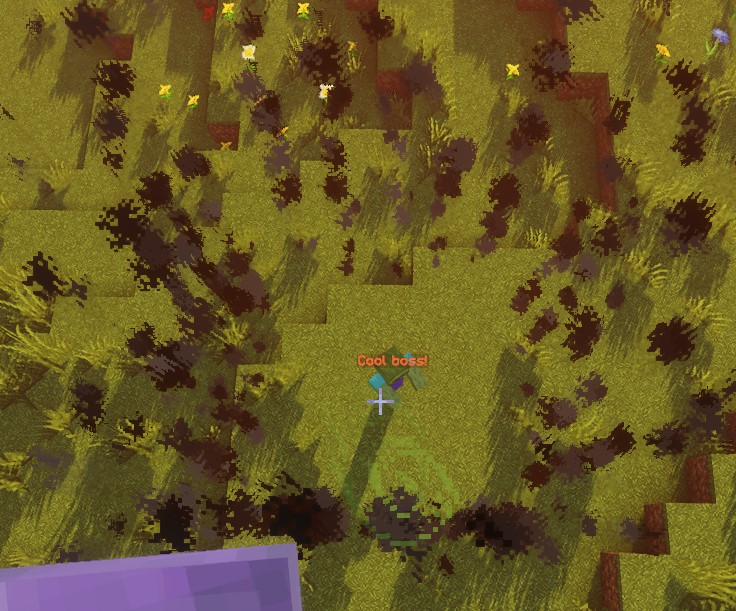
Este script produz 20 emissões de fumo em posições amostradas da borda, com intervalos de 5 ticks. A primeira é imediata e a última ocorre 95 ticks depois, cerca de 4,75 segundos a 20 ticks por segundo; a tarefa de repetição termina no intervalo seguinte. A duração de cada partícula é independente do calendário da ação.
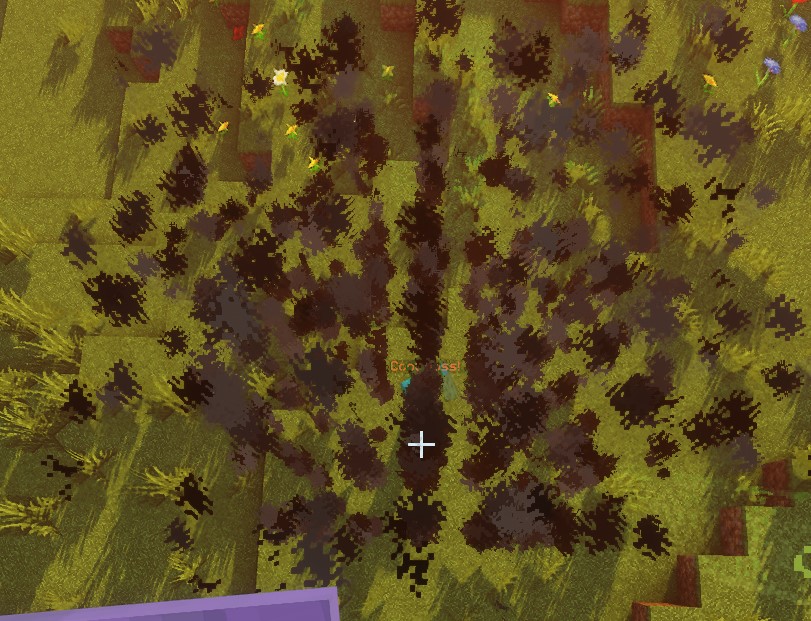
Com ZONE_FULL, as posições amostradas vêm de toda a zona em vez de apenas da borda:
SPHERE
A origem é o centro da esfera. As posições são amostradas numa grelha de passos inteiros dentro do raio. As verificações de entidades aproximam cada entidade como uma esfera cujo raio é metade da altura entre os pés e os olhos; assim, a entidade pode sobrepor-se à zona mesmo com os pés fora dela. A consulta de borda também exclui entidades que se sobrepõem à esfera interior.
| Chave | Detalhes | Definir explicitamente |
|---|---|---|
shape | Define a forma da zona. Deve ser SPHERE | ✅ |
target | Define a localização do centro da esfera | ✅ |
filter | Define que tipos de entidades são visados | ❌ |
radius | Raio da esfera | ✅ |
borderRadius | Raio da esfera interior | ❌ |
Exemplo
eliteScript:
  Example:
    Events:
      - EliteMobDamagedByPlayerEvent
    Zone:
      shape: SPHERE
      radius: 4
      borderRadius: 3
      Target:
        targetType: SELF
    Actions:
      - action: SPAWN_PARTICLE
        particles:
          - particle: CLOUD
        Target:
          targetType: ZONE_FULL
        repeatEvery: 5
        times: 20
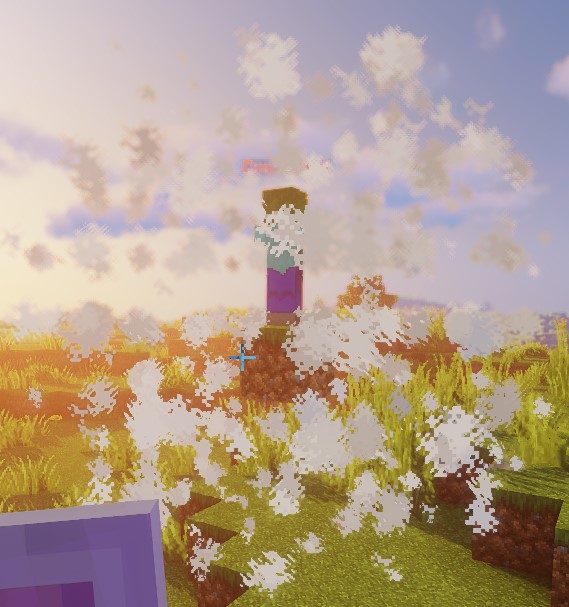
Este script demonstra a forma de uma esfera usando partículas de nuvem.
DOME
As partículas amostram a metade superior da esfera a partir da altura da origem. Limitação atual: a consulta completa de entidades herda a verificação da esfera sem restrição a um hemisfério, pelo que ZONE_FULL pode selecionar entidades abaixo da cúpula. A consulta de borda exige ainda pés acima de originY - 1; as verificações diretas de posições usam o mesmo limite. A imagem de partículas de uma cúpula não prova que a sua área de impacto se limita à metade superior.
| Chave | Detalhes | Definir explicitamente |
|---|---|---|
shape | Define a forma da zona. Deve ser DOME | ✅ |
target | Define a localização do centro da cúpula | ✅ |
filter | Define que tipos de entidades são visados | ❌ |
radius | Raio da cúpula | ✅ |
borderRadius | Raio da cúpula interior | ❌ |
Exemplo
eliteScript:
  Example:
    Events:
      - EliteMobDamagedByPlayerEvent
    Zone:
      shape: DOME
      radius: 4
      borderRadius: 3
      Target:
        targetType: SELF
    Actions:
      - action: SPAWN_PARTICLE
        particles:
          - particle: CLOUD
        Target:
          targetType: ZONE_FULL
        repeatEvery: 5
        times: 20
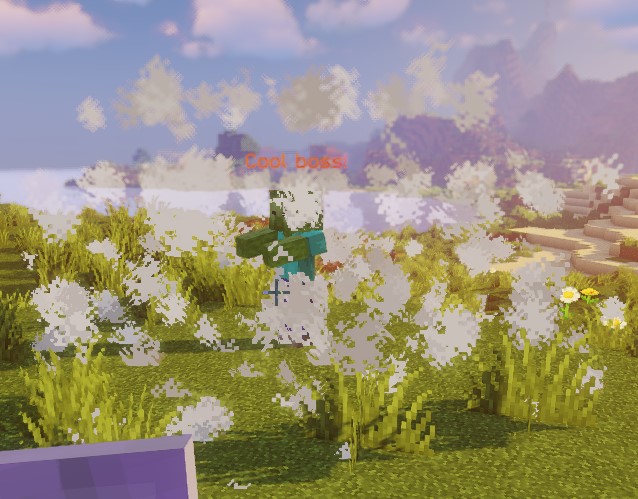
Este script demonstra a forma de uma cúpula usando partículas de nuvem.
CONE
Para cada origem, o cone usa a primeira posição resolvida de Target2. Uma consulta de jogadores próximos não é ordenada pela distância; usa um único alvo quando o cone tiver de apontar para uma entidade específica.
Target é a ponta e Target2 o centro da base; a distância entre eles define a altura do cone. Mantém os pontos distintos e no mesmo mundo. As verificações de entidades examinam os pés, o centro e o topo da caixa de colisão, em vez de uma interseção exata de caixas. As posições amostradas usam a grelha de coordenadas inteiras do mundo.
| Chave | Detalhes | Definir explicitamente |
|---|---|---|
shape | Define a forma da zona. Deve ser CONE | ✅ |
target | Define a localização do ápice (ponta) do cone | ✅ |
target2 | Define a localização do centro da base do cone | ✅ |
filter | Define que tipos de entidades são visados | ❌ |
radius | Raio da base do cone | ✅ |
borderRadius | Raio do cone interior | ❌ |
Exemplo
eliteScript:
  Example:
    Events:
    - EliteMobDamagedByPlayerEvent
    Zone:
      shape: CONE
      radius: 10
      Target:
        targetType: SELF
        offset: 0,0,0
      Target2:
        targetType: SELF
        offset: 0,10,0
    Actions:
      - action: SPAWN_PARTICLE
        particles:
        - particle: CLOUD
        Target:
          targetType: ZONE_FULL
          coverage: 0.8
        repeatEvery: 5
        times: 20
Este script demonstra a forma de um cone usando partículas de nuvem. Tenha em mente que esta zona tem a forma CONE, ou seja, é um volume 3D — importante ter em conta se pretende criar efeitos de varrimento.
CYLINDER
A origem é o centro da face inferior. O cilindro estende-se height para cima, não igualmente acima e abaixo da origem. A verificação de entidades exige que toda a altura da caixa de colisão caiba entre a base e o topo, além da verificação horizontal. Um cilindro visual de altura 1 normalmente não seleciona um jogador de pé. Usa altura suficiente e uma origem adequada para ações sobre entidades.
| Chave | Detalhes | Definir explicitamente |
|---|---|---|
shape | Define a forma da zona. Deve ser CYLINDER | ✅ |
target | Centro da face inferior | ✅ |
filter | Define que tipos de entidades são visados | ❌ |
radius | Raio do cilindro | ✅ |
borderRadius | Raio do cilindro interior | ❌ |
height | Altura do cilindro | ✅ |
Exemplo
eliteScript:
  Example:
    Events:
      - EliteMobDamagedByPlayerEvent
    Zone:
      shape: CYLINDER
      radius: 4
      borderRadius: 3
      height: 8
      Target:
        targetType: SELF
    Actions:
      - action: SPAWN_PARTICLE
        particles:
          - particle: CLOUD
        Target:
          targetType: ZONE_FULL
        repeatEvery: 5
        times: 20
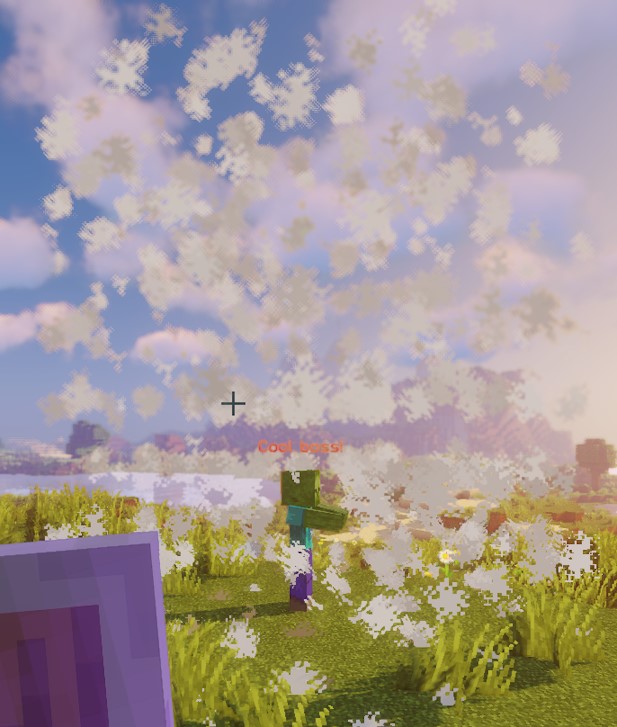
Este script demonstra a forma de um cilindro usando partículas de nuvem.
CUBOID
A implementação atual do cuboide usa limites diferentes para posições amostradas, verificações de pontos e verificações de entidades. As posições abrangem x e z blocos em redor do centro e sobem y blocos. A sobreposição de entidades usa meias larguras x / 2 e z / 2, mas sobe apenas y / 2. Uma verificação direta de um ponto usa ±x, ±y e ±z. Não assumas que as partículas e a consulta de entidades cobrem volumes idênticos; verifica a geometria pretendida no servidor. Isto também se aplica aos cuboides nativos de Lua.
Para dimensões inteiras positivas, as coordenadas de partículas vão de -floor(x / 2) a x - 1 - floor(x / 2), de forma equivalente em Z, e de 0 a y - 1 na vertical. Os limites de entidades usam as coordenadas de bloco da origem e arredondam as arestas horizontais para baixo. As partículas de borda conservam pontos com Y <= yBorder e X ou Z fora da meia largura interior; isto não forma uma casca completa obtida ao subtrair o cuboide interior ao exterior.
| Chave | Detalhes | Definir explicitamente |
|---|---|---|
shape | Define a forma da zona. Deve ser CUBOID | ✅ |
target | Define a localização do centro do cuboide | ✅ |
filter | Define que tipos de entidades são visados | ❌ |
x | Define o comprimento do cuboide | ✅ |
y | Define a altura do cuboide | ✅ |
z | Define a largura do cuboide; por predefinição, igual a x | ❌ |
xBorder | Define o comprimento do cuboide interior | ❌ |
yBorder | Define a altura do cuboide interior | ❌ |
zBorder | Largura do cuboide interior; 0 usa xBorder quando este é diferente de zero | ❌ |
Exemplo
eliteScript:
  Example:
    Events:
      - EliteMobDamagedByPlayerEvent
    Zone:
      shape: CUBOID
      x: 4
      y: 4
      z: 4
      xBorder: 3
      yBorder: 3
      zBorder: 3
      Target:
        targetType: SELF
    Actions:
      - action: SPAWN_PARTICLE
        particles:
          - particle: CLOUD
        Target:
          targetType: ZONE_FULL
        repeatEvery: 5
        times: 20
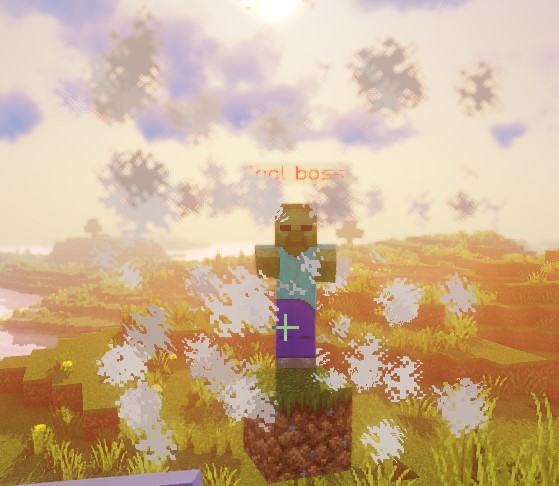
Este script demonstra a forma de um cuboide usando partículas de nuvem.
STATIC_RAY
Cada origem resolvida de Target combina-se com cada extremo resolvido de Target2 no mesmo mundo. STATIC_RAY não tem animação independente, mas com o track: true predefinido no alvo da ação, as repetições regeneram-no a partir dos extremos atuais. Usa track: false no alvo da ação para os fixar.
pointRadius controla tanto o passo de amostragem como o raio de colisão; não é o diâmetro completo. Os raios estáticos e de translação executam no máximo 500 passos, pelo que o seu alcance amostrado máximo é aproximadamente 500 * pointRadius blocos. Os raios giratórios usam passos de 2 * pointRadius. Usa um valor estritamente positivo. Com ignoresSolidBlocks: false, a amostragem para num bloco sólido amostrado; não é uma deteção contínua de colisões e passos grandes podem saltar obstáculos. As verificações de entidades procuram sobreposição com esferas em redor dos pontos amostrados.
| Chave | Detalhes | Definir explicitamente |
|---|---|---|
shape | Define a forma da zona. Deve ser STATIC_RAY | ✅ |
target | Define a localização do primeiro ponto da linha | ✅ |
target2 | Define a localização do último ponto da linha | ✅ |
filter | Define que tipos de entidades são visados | ❌ |
ignoresSolidBlocks | Define se o raio atravessa blocos sólidos. Predefinição: true | ❌ |
pointRadius | Define a espessura do raio. A predefinição é 0,5 blocos. | ❌ |
Exemplo
eliteScript:
  Example:
    Events:
      - EliteMobDamagedByPlayerEvent
    Zone:
      shape: STATIC_RAY
      Target2:
        targetType: DIRECT_TARGET
        offset: 0,1,0
      Target:
        targetType: SELF
        offset: 0,1,0
    Actions:
      - action: SPAWN_PARTICLE
        particles:
          - particle: CLOUD
        Target:
          targetType: ZONE_FULL
        repeatEvery: 5
        times: 20
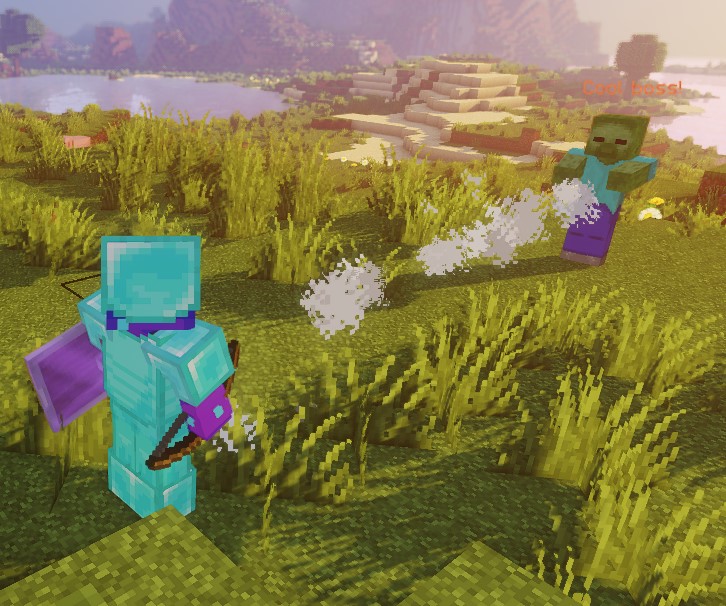
Este script demonstra a forma de um raio estático usando partículas de nuvem.
Ambos os extremos usam offset: 0,1,0, colocando o raio um bloco acima dos pés. Isto não corresponde automaticamente ao meio de entidades de qualquer altura.
ROTATING_RAY
Os valores de rotação são em graus e a duração em ticks. Cada origem combina-se com cada Target2 válido do mesmo mundo. O extremo de origem permanece fixo como pivô. As rotações iniciais e animadas de pitch/yaw aceitam ambos os sinais. O raio completo, já com a rotação inicial, existe antes do primeiro tick de animação, inclusive quando a duração é zero. Os extremos iniciais têm de ser diferentes. Durações negativas e valores não finitos são rejeitados.
| Chave | Detalhes | Definir explicitamente |
|---|---|---|
shape | Define a forma da zona. Deve ser ROTATING_RAY | ✅ |
filter | Define que tipos de entidades são visados | ❌ |
target | Define a localização do primeiro ponto da linha | ✅ |
target2 | Define a localização do último ponto da linha | ✅ |
animationDuration | Define, em ticks, a duração da rotação | ✅ |
pitchPreRotation | Aplica uma rotação inicial ao pitch antes da animação | ❌ |
yawPreRotation | Aplica uma rotação inicial ao yaw antes da animação | ❌ |
pitchRotation | Define a rotação de pitch da animação | ❌ |
yawRotation | Define a rotação de yaw da animação | ❌ |
ignoresSolidBlocks | Define se o raio atravessa blocos sólidos. Predefinição: true | ❌ |
pointRadius | Define a espessura do raio. A predefinição é 0,5 blocos. | ❌ |
Exemplo
eliteScript:
  Example:
    Events:
      - EliteMobDamagedByPlayerEvent
    Zone:
      shape: ROTATING_RAY
      animationDuration: 100
      pitchPrerotation: 0
      yawPrerotation: 0
      pitchRotation: 0
      yawRotation: 360
      ignoresSolidBlocks: true
      Target:
        targetType: SELF
        offset: 0,1,0
      Target2:
        targetType: DIRECT_TARGET
        offset: 0,1,0
    Actions:
      - action: SPAWN_PARTICLE
        particles:
          - particle: CLOUD
        Target:
          targetType: ZONE_FULL
        repeatEvery: 1
        times: 100
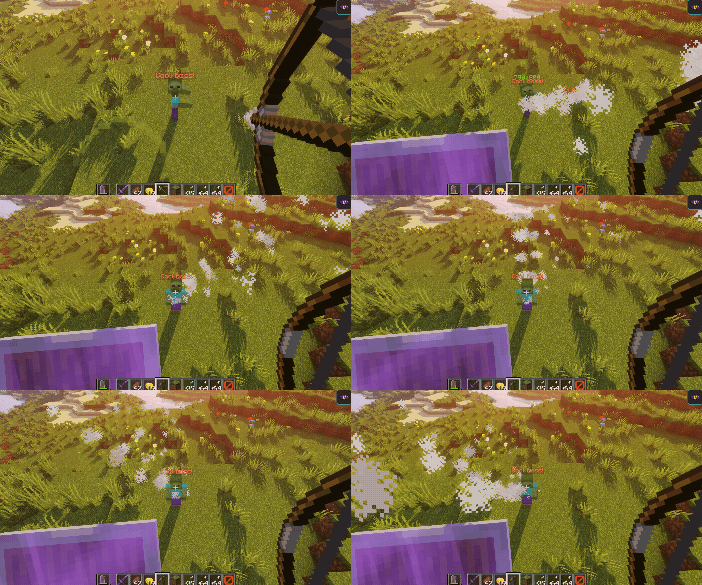
Este script mostra como um raio giratório se parece usando partículas de nuvem.
Primeiro, cria um raio do boss até ao jogador que o feriu, usando partículas de nuvem. Depois, ajusta as posições ligeiramente para cima, um bloco, usando o offset.
Depois, o raio roda 360 graus em torno da origem do lado do boss durante 100 ticks. O jogador define a direção inicial, não o centro de rotação. Valores negativos de pitch/yaw rodam no sentido oposto.
TRANSLATING_RAY
Cada par inicial Target / Target2 usa o primeiro FinalTarget e FinalTarget2 resolvido. Um alvo final omitido deixa esse extremo na sua posição inicial. Mantém todos os extremos no mesmo mundo. Uma duração positiva anima até aos destinos exatos; uma duração zero mantém o raio inicial estático. Uma duração negativa é rejeitada.
| Chave | Detalhes | Definir explicitamente |
|---|---|---|
shape | Define a forma da zona. Deve ser TRANSLATING_RAY | ✅ |
filter | Define que tipos de entidades são visados | ❌ |
animationDuration | Define, em ticks, a duração da translação | ✅ |
target | Define a localização do primeiro ponto da linha | ✅ |
finalTarget | Define a localização de destino do primeiro ponto da linha | ✅ |
target2 | Define a localização do segundo ponto da linha | ✅ |
finalTarget2 | Define a localização de destino do segundo ponto da linha | ✅ |
ignoresSolidBlocks | Define se o raio atravessa blocos sólidos. Predefinição: true | ❌ |
pointRadius | Define a espessura do raio. A predefinição é 0,5 blocos. | ❌ |
Exemplo
eliteScript:
  Example:
    Events:
      - EliteMobDamagedByPlayerEvent
    Zone:
      shape: TRANSLATING_RAY
      Target:
        targetType: SELF
      FinalTarget:
        targetType: SELF
        offset: 0,10,0
      Target2:
        targetType: DIRECT_TARGET
      FinalTarget2:
        targetType: DIRECT_TARGET
        offset: 0,10,0
      animationDuration: 100
      ignoresSolidBlocks: true
    Actions:
      - action: SPAWN_PARTICLE
        particles:
          - particle: CLOUD
        Target:
          targetType: ZONE_FULL
        repeatEvery: 1
        times: 100
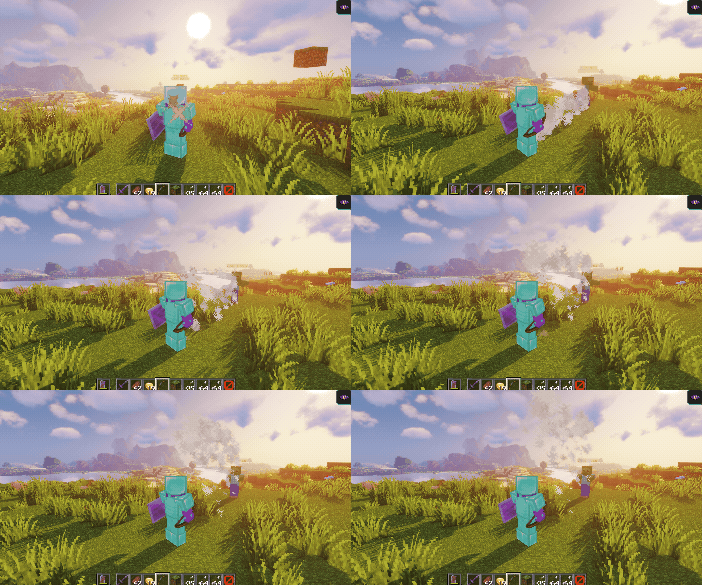
Este script mostra como um raio em movimento se parece usando partículas de nuvem.
Primeiro, cria um raio do boss até ao jogador que o feriu, usando partículas de nuvem.
Depois, anima o raio 10 blocos para cima através dos deslocamentos em FinalTarget e FinalTarget2.
A duração configurada é de 100 ticks, aproximadamente 5 segundos a 20 ticks por segundo. O último fotograma chega exatamente aos alvos finais.
Podemos facilmente fazer o raio mover-se de lado ajustando o offset do Z para algo como offset: 0,0,10:
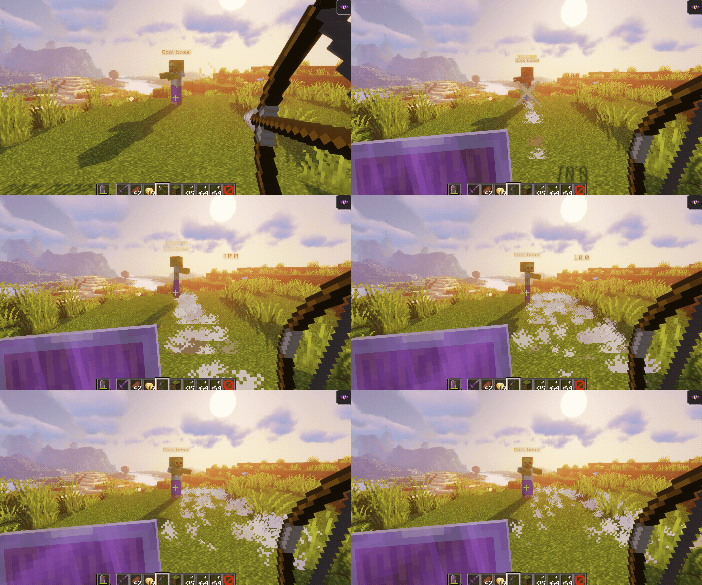
Os deslocamentos usam os eixos do mundo; mudar a vista só altera a aparência do movimento no ecrã. Um deslocamento X segue o eixo X do mundo, independentemente da direção para onde olhas.
filter
A propriedade filter pode ser usada para visar apenas entidades específicas dentro da zona. Estas entidades podem ser:
Estes filtros aplicam-se às consultas de entidades, não às posições das partículas. ELITE e LIVING podem incluir o boss que lança a habilidade se passar a verificação da forma. PLAYER não exclui por si só espectadores ou jogadores de outros encontros. Podem ainda aplicar-se regras de elegibilidade próprias de cada ação.
| Valor | Detalhes |
|---|---|
PLAYER | Apenas mira em jogadores na zona (padrão) |
ELITE | Entidades vivas registadas como elites dentro da zona |
LIVING | Entidades vivas dentro da zona, incluindo jogadores |
Exemplo
eliteScript:
  FilterExample:
    Events:
    - PlayerDamagedByEliteMobEvent
    Zone:
      shape: SPHERE
      radius: 12
      borderRadius: 11
      filter: ELITE
      Target:
        targetType: SELF
        track: false
Este fragmento define o filtro de entidades da zona como elites. Ainda não tem Actions e não é um script completo executável. O track: false mostrado no alvo de origem não fixa a zona de uma ação; coloca-o no alvo ZONE_FULL ou ZONE_BORDER da ação ao acrescentares ações que precisem de uma origem fixa.